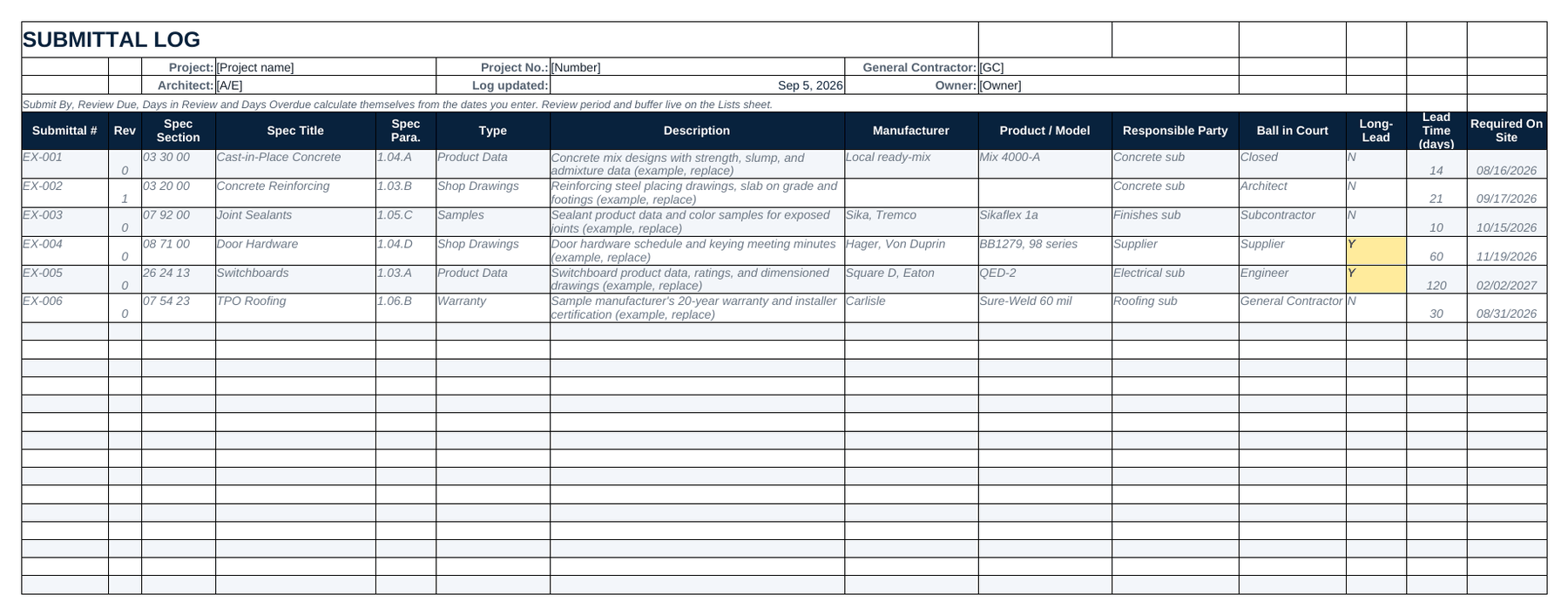
Navy
Dark navy header with safety orange numbers. It's the default, and it's the one in the screenshots below.
 Book a fit call
A submittal log template is a spreadsheet for tracking every submittal on a project: the spec section it comes from, what has to be submitted, who owes it and where it stands. There are six versions below with screenshots so you can see them first, plus a spec to submittal checklist that walks you from the spec book to the handoff. You don't need to give us an email.
While that downloads: SubPro drafts this log from your own spec book. Book a fit call to see it on one of yours.
Dark navy header with safety orange numbers. It's the default, and it's the one in the screenshots below.
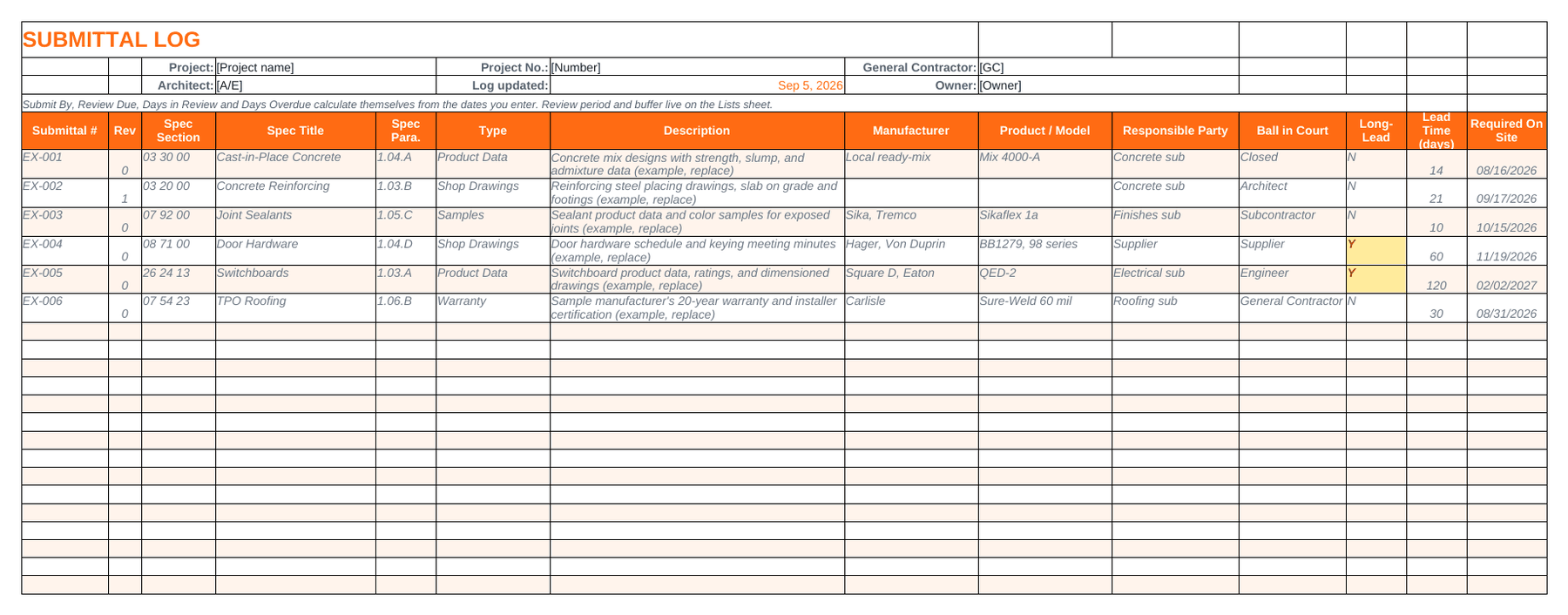
Orange header with navy numbers. It's easy to read from across the trailer.
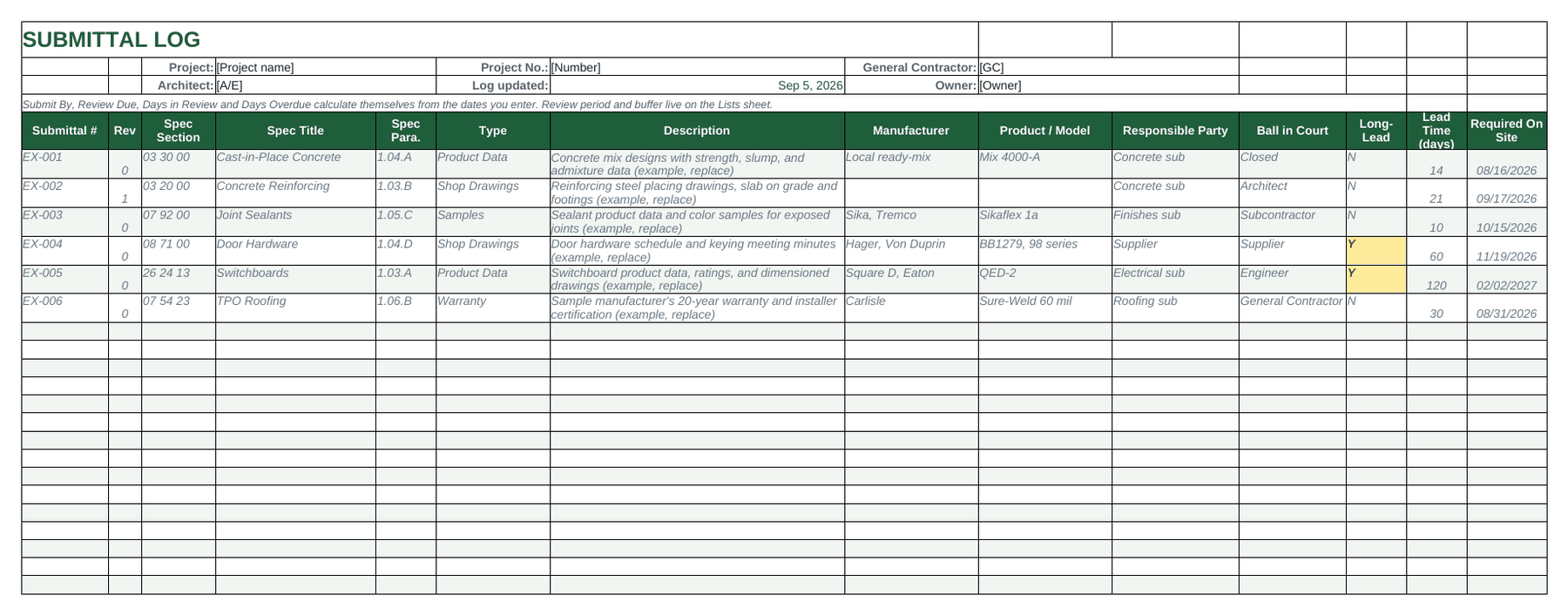
Dark green header with sage accents. It's easy on the eyes if you keep it open all day.
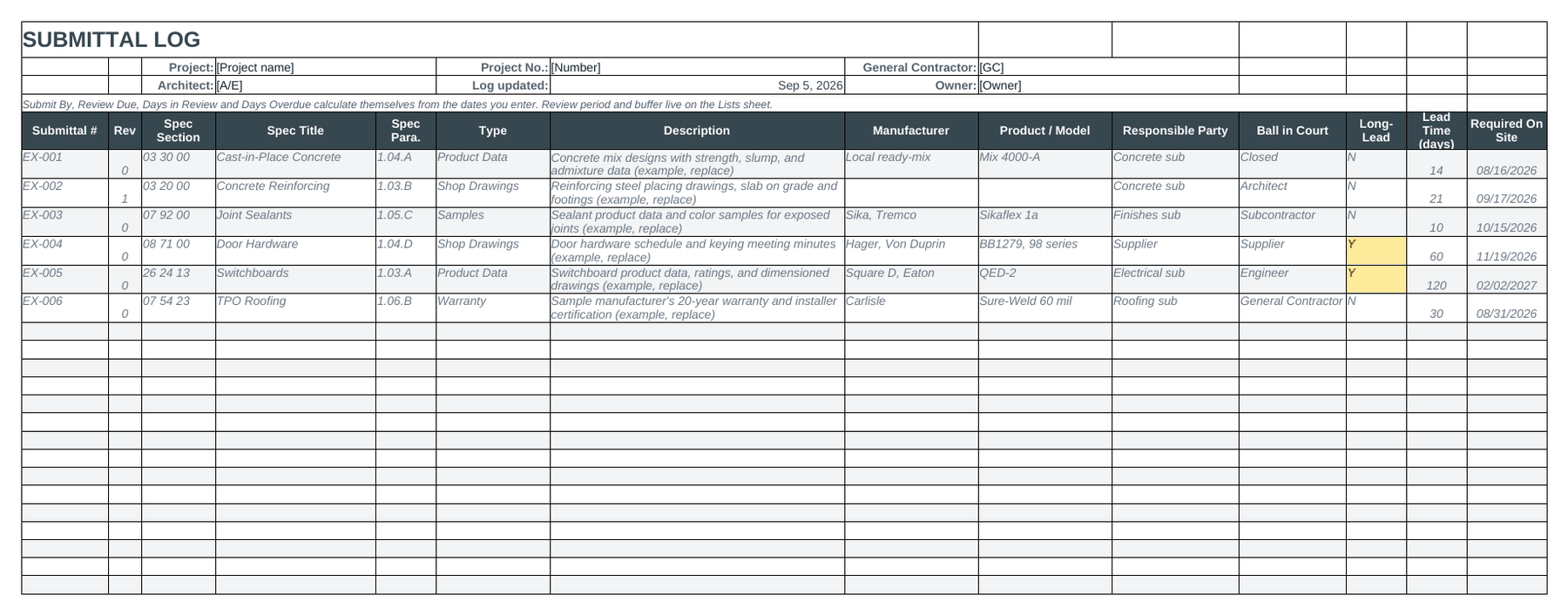
Charcoal header with amber numbers. It's the one that prints cleanly in gray.
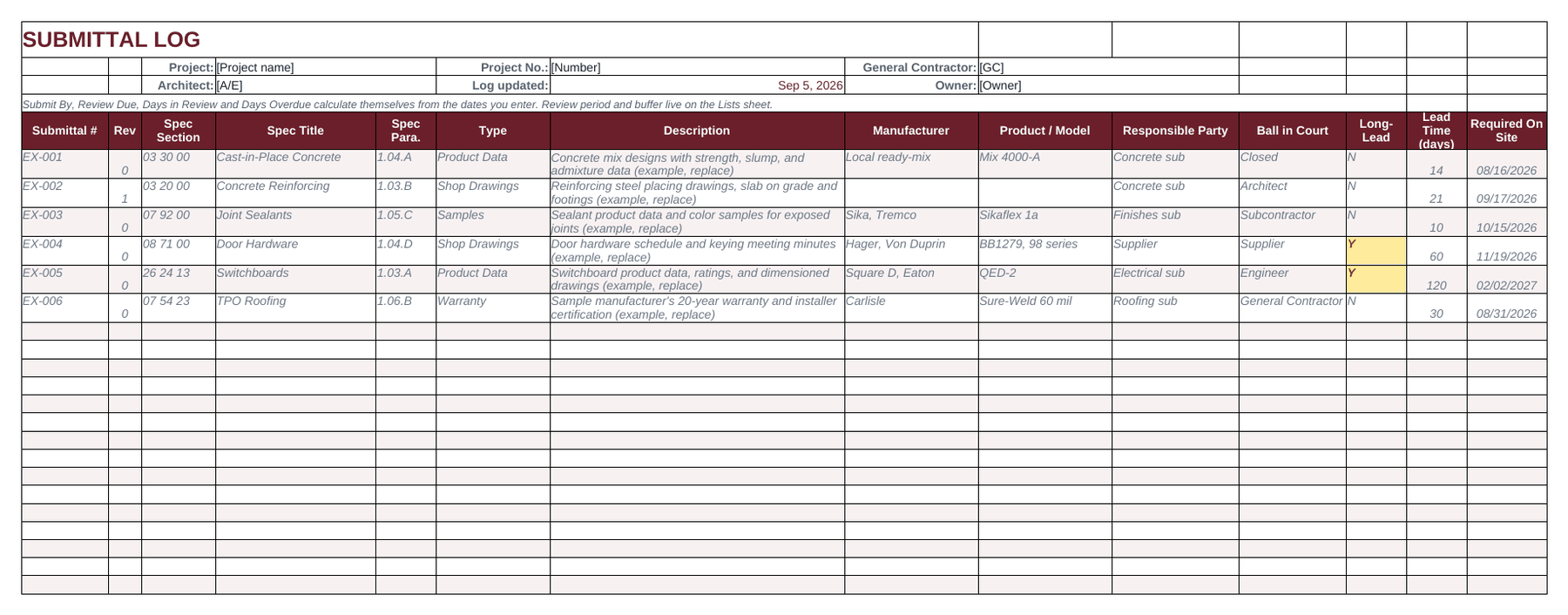
Oxblood header with brass numbers, for an office that already has its own color.
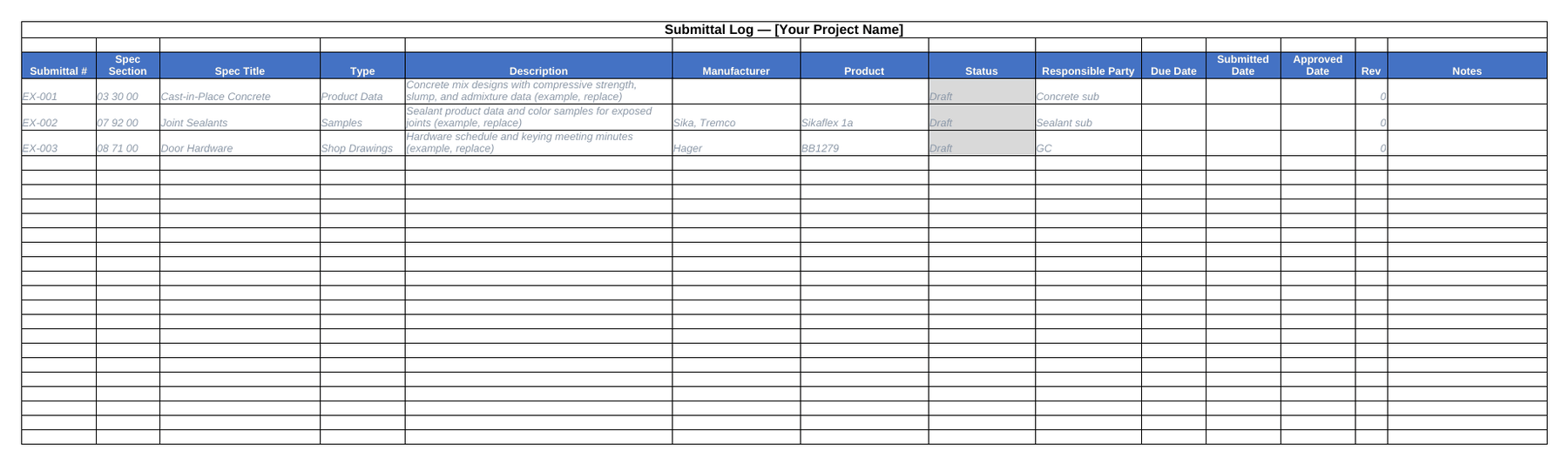
A log with 14 columns in the same layout as the sample logs, with dropdowns and a legend sheet.
Each Pro workbook has seven sheets. The four you'll use most are below, taken from the Navy file. The other three are Read Me, Lists and a note about getting it filled in for you.
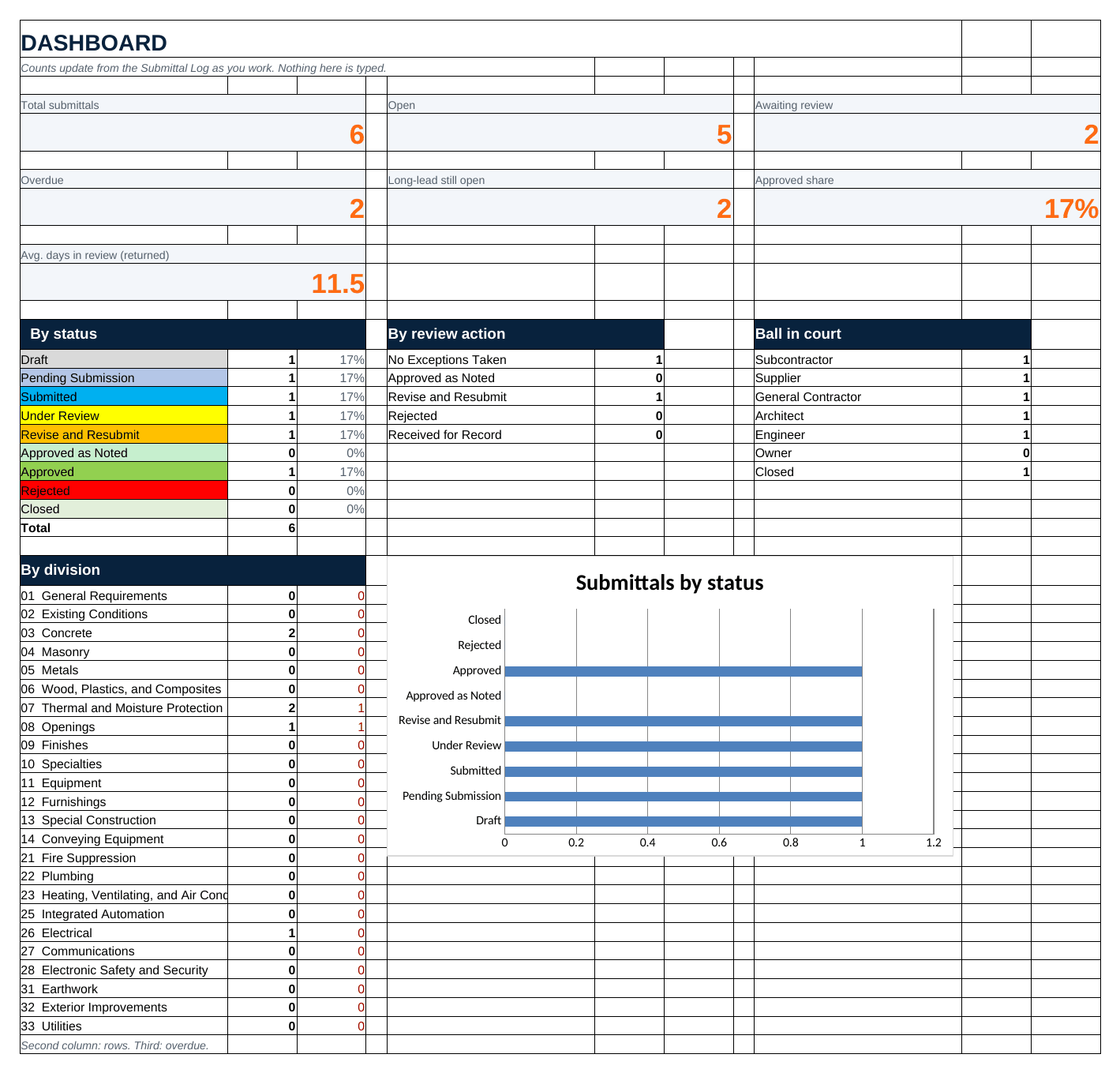
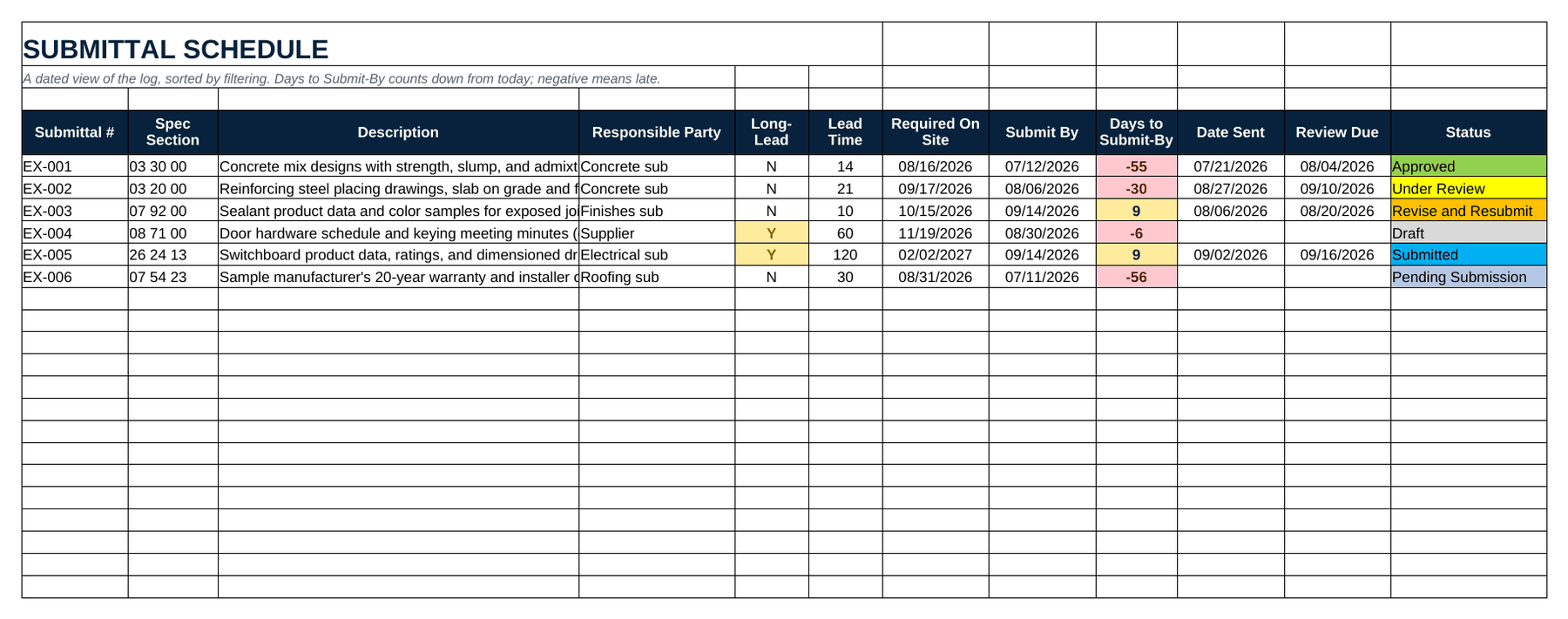
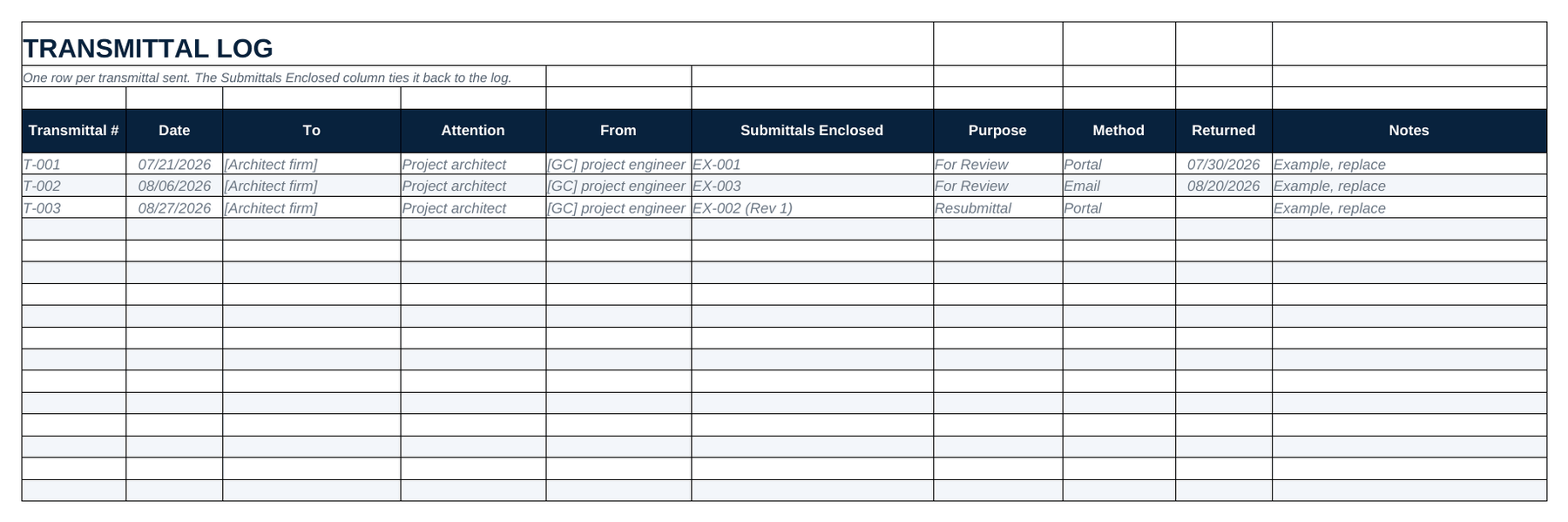
You type in two dates and a lead time, and the workbook does the math. When something's running late, it turns red.
If you delete a column, somebody down the line is going to ask you for it. The Classic log has fourteen columns: submittal number, spec section and title, type, description, manufacturer, product, status, responsible party, due, submitted and approved dates, revision, and notes.
| Column | What goes in it |
|---|---|
| Submittal # | Your numbers under the project, TW 0024-001 and up, and you never reuse one. The transmittal and the returned copy both use it. |
| Rev | 0 the first time it goes out. Add one for every resubmittal so you can see the history at a glance. |
| Spec Section | The six digit MasterFormat number with spaces, like 08 71 00. The dashboard counts divisions from the first two digits. |
| Spec Title | The section name the way the project manual prints it, so a reviewer doesn't have to know the number by heart. |
| Spec Para. | The paragraph that requires the item, like 1.04.A. When there's an argument about a row, this is what settles it. |
| Type | A dropdown of 15 submittal types, each defined on the Read Me sheet. |
| Description | What's being submitted, in one sentence a reviewer can check against the spec book. |
| Manufacturer | The manufacturers the section names, comma separated when it names more than one. |
| Product / Model | Model numbers when the project manual calls them out. |
| Responsible Party | Who owes the submittal. You can edit the list on the Lists sheet. |
| Ball in Court | Who holds it right now: subcontractor, supplier, GC, architect, engineer, or owner. |
| Long-Lead | Y turns the cell amber and sorts the row to the top of the schedule view. |
| Lead Time (days) | Order to delivery, from the supplier's quote. |
| Required On Site | The date it is needed on site, from the construction schedule. |
| Submit By | Calculated from the required on site date, minus the lead time, the review period and the buffer. |
| Date Sent | When it went to the design team. This starts the review clock. |
| Review Due | Calculated from the date sent plus the review period on the Lists sheet. |
| Date Returned | When the stamp came back. |
| Days in Review | Calculated as returned minus sent, or today minus sent while it's still out. It shows you how long your reviewer is taking. |
| Review Action | The stamp wording: No Exceptions Taken, Approved as Noted, Revise and Resubmit, Rejected, Received for Record. |
| Status | A dropdown with nine choices, and the cell changes color when the status changes. |
| Days Overdue | Calculated. It turns red when something is late, measured from Submit By before sending and from Review Due after. |
| Package File | The file name or link for the assembled submittal package. |
| Notes | Substitutions, hold points, owner decisions, and anything the next reviewer needs to know. |
Take joint sealants. In Section 07 92 00 paragraph 1.05.C, the spec book says the contractor shall submit product data and color samples for each sealant used in exposed joints. That one sentence turns into two rows, one for product data and one for samples. Here's the first one:
TW 0024-002 | 0 | 07 92 00 | Joint Sealants | 1.05.C | Product Data | Sealant product data for exposed joints | Sika, Tremco | Finishes sub | Subcontractor | N | 10 days | required on site 10/15
The description says what the requirement is in plain words. The type column tells a reviewer to expect manufacturer data sheets, and the color samples get their own row. The paragraph number points at the exact sentence, so when the architect asks why a color board showed up, you can find the answer in one lookup. The workbook takes the lead time and the site date and fills in the submit by date for you. Do that for every section in the book and you've got a submittal log. On a real spec book, that's hundreds of sentences to find and retype.
Six phases and 23 steps from the spec book to the handoff, each with a checkbox and a blank for who owns it. It opens in Excel and prints fine for the trailer wall. A construction PM wrote it. Every step is listed here, so you can look it over first.
A template takes care of the formatting, and the reading is still on you. To fill this file in, you open every CSI section, find the submittals article and type one row for each requirement, without missing the warranty buried in Part 3 or the mockup tucked inside a reference standard. On a 200 page spec book that's a lot of a project engineer's time. On a 1,500 page one, it's why the log gets skimmed, and when the log gets skimmed, missing submittals turn up late, at procurement or at inspection.
The file has its limits. At 50 rows it works fine. At 500, copy and paste errors start creeping in, like a dragged formula, a duplicated submittal number or a pasted row that still names the wrong section. Formatting can't fix that, because the errors come from the typing.
That's phases 2 and 3 of the checklist above, and they're the ones SubPro takes on. It reads the spec book and the drawings, drafts the log with the source page on each row, puts the submittal packages together and flags the rows a person needs to make a call on, so your team starts at phase 4. Then every submittal stays on one record in SubPro through review and closeout. Book a fit call to see it on one of your own project manuals. The filled example log above was drafted from a sample spec book, and it's in an older layout without the page column.
It's the main list of every submittal a construction project needs: shop drawings, product data, samples, certificates and closeout documents. Each row shows the spec section that calls for it, who owes it, when it's due and where it is in review.
Usually not. On most jobs both words mean the list of every submittal the project manual calls for, one row each, and that's how SubPro uses them.
Classic is a log with 14 columns in the same layout as the sample logs, with type and status dropdowns and a legend sheet. Pro adds ten more columns and the date formulas that work out the submit by, review due and overdue dates on their own. It also has a dashboard, a schedule view, a transmittal log and a settings sheet.
It's a one sheet XLSX with the 23 steps it takes to go from a spec book to a handed off submittal log and submittal packages, in six phases. Use it to run the work by hand, or to check a log someone else built. It's free, with no email.
On most jobs the general contractor's project engineer or project manager owns the log, and each subcontractor owes the entries for its scope. On smaller jobs a sub doing its own work keeps a log for its own trade. Either way, one person should own it. If two people keep their own copies, they won't match by the second week.
It depends on the spec book. The filled example log, drafted from a sample commercial spec book, has 295 rows, and big institutional jobs run a lot higher. If your log has 40 rows for a whole building, somebody's probably skimming sections.
Yes. The Pro workbook uses COUNTIF, COUNTIFS, AVERAGEIFS, TODAY and two named cells, and Excel, Google Sheets and LibreOffice all support those. Import the XLSX instead of just previewing it, and the dropdowns, colors and chart come over with it.
Yes. In Google Sheets go to File, then Import, and upload the XLSX. The table formatting and the legend sheet come over with it. It also opens in LibreOffice and in Excel going back to 2010.
Book a fit call and bring one project manual. SubPro drafts the log from it, with the page behind each row, and you see it before you decide anything.
Link builds them in Claude or ChatGPT. Name the product and get its data sheet, SDS and warranty in one download, with a manifest that says where each came from. The first 14 days are free, no card.