A number from its spec section
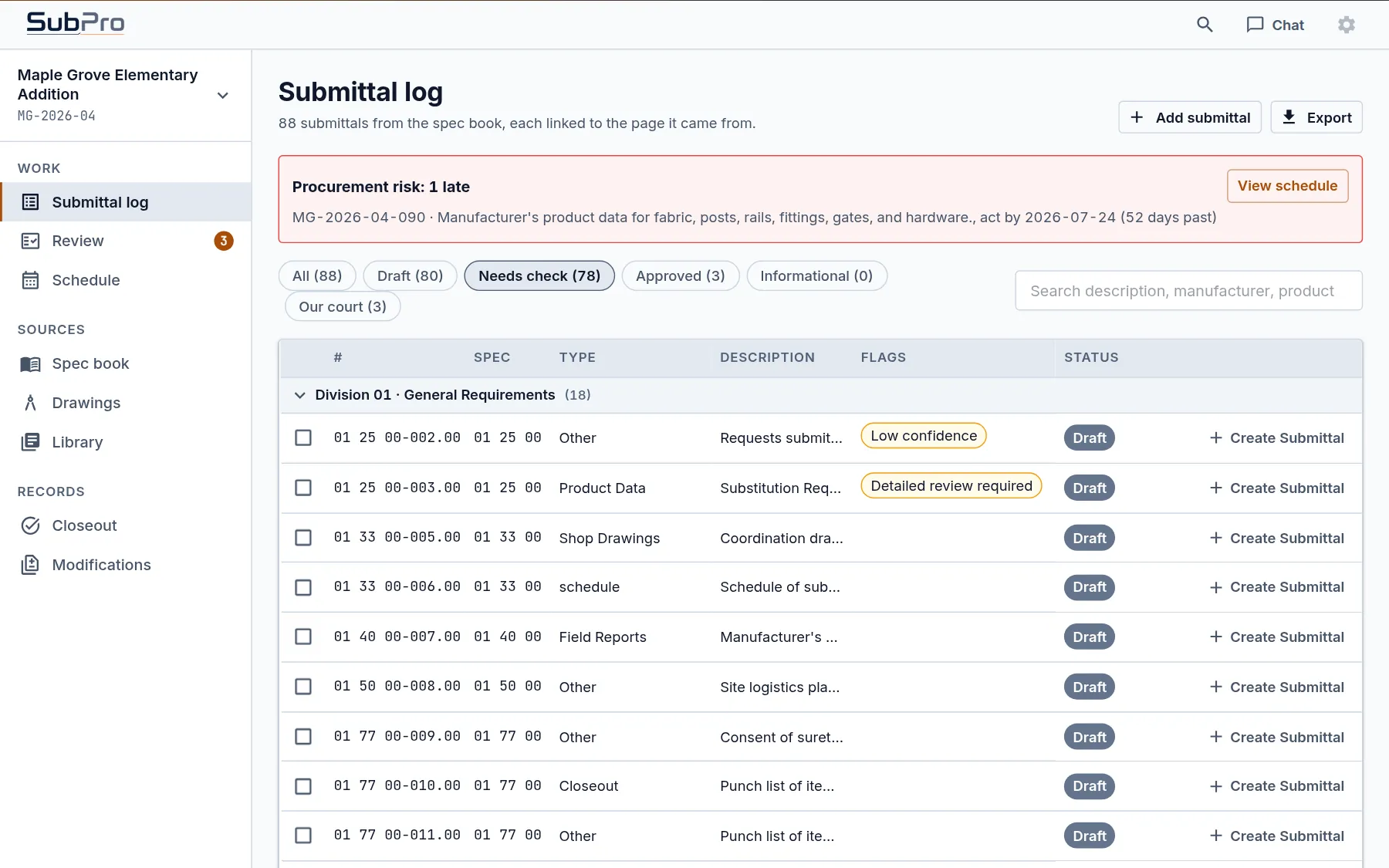
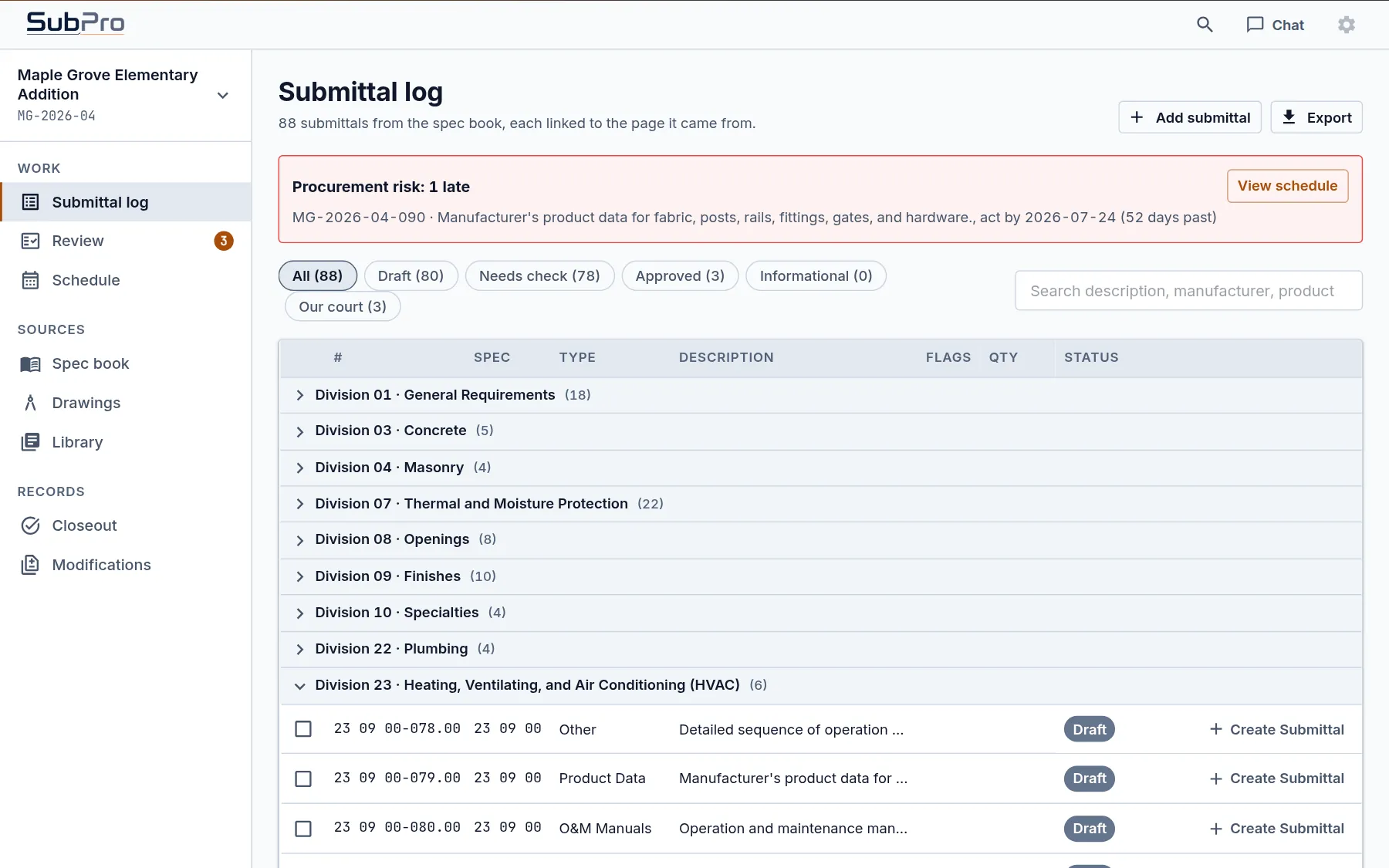
Each row is numbered by the section that called for it, so 03 30 00 rows sort with Section 03 30 00, and every division in the log shows how many rows it holds.
 Book a fit call
Every submittal on the job starts as a row in the log, and building it by hand means a blank spreadsheet and a spec book of 900 pages. SubPro reads every section, drafts a row for each required item with the page it came from, and flags the rows your PM or PE should look at first.
You read sections, copy out requirements, argue about what belongs in the log, and then go hunting for the page again when someone asks why a row is there. At the end of a day of it you've read a few sections, typed a stack of rows, and you've got a feeling something in Division 10 got missed.
When the draft is already done, that day goes to decisions. The automation versus manual page compares the two step by step.
Each row is numbered by the section that called for it, so 03 30 00 rows sort with Section 03 30 00, and every division in the log shows how many rows it holds.
Product data, shop drawings, samples, certificates, closeout items and the rest, with a description written from the requirement itself.
The page in the spec book the row came from, opened with the requirement highlighted.
Draft until your team says otherwise, then on through review to approved. The chips across the top filter the log by status.
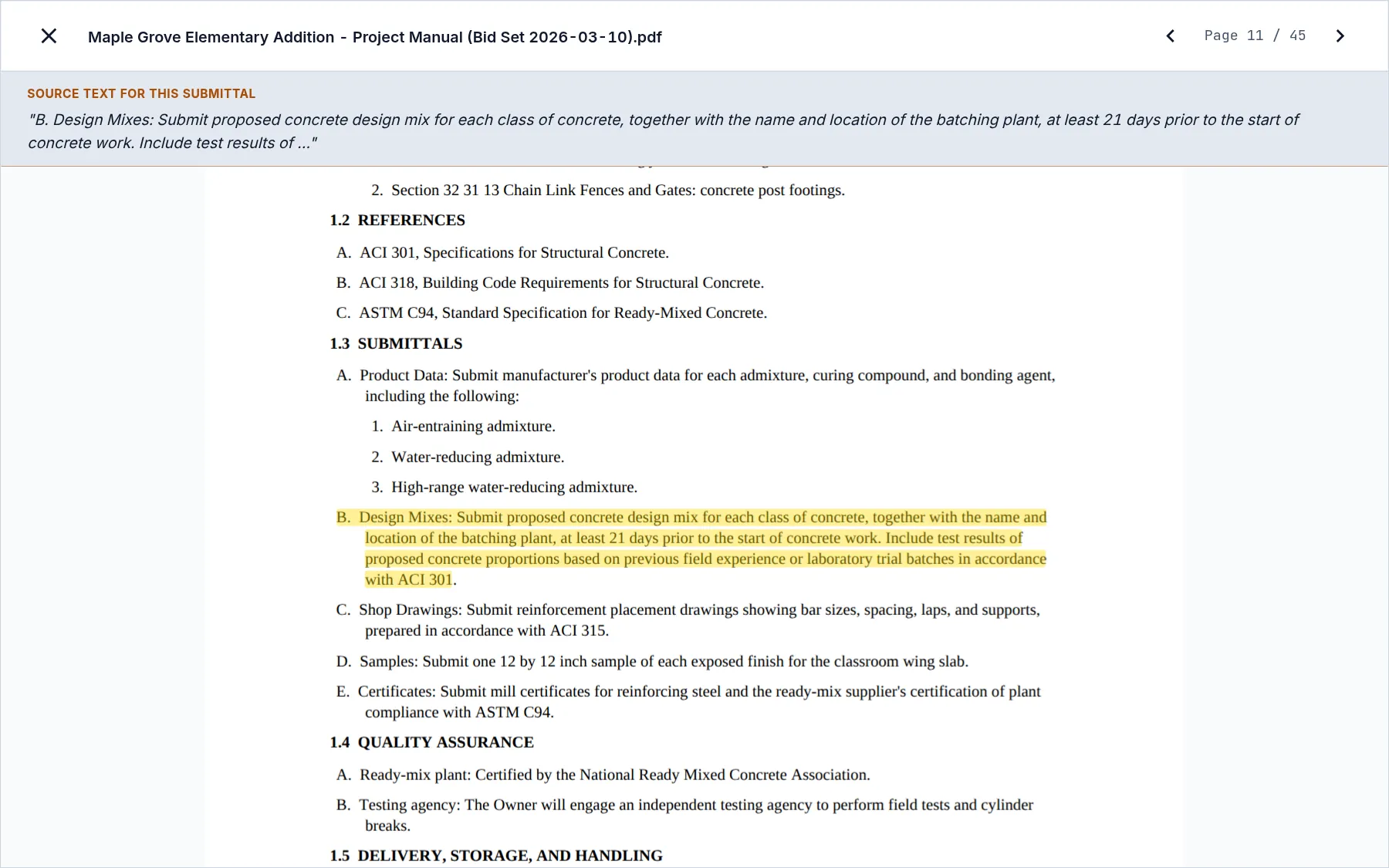
Open a row and press Open source PDF. The spec book opens at that page, the paragraph is highlighted, and its text sits in a band across the top so the reviewer reads it without hunting.
For the concrete mix design row in the sample, that's paragraph B on page 11 of Section 03 30 00: submit the proposed design mix for each class of concrete, with the batching plant, at least 21 days before concrete work starts. The row says what's owed, and the page proves it.
The spec book says what to submit. The equipment schedules on the drawings say how many, with which tags and at what capacity. SubPro reads those schedules too. When your team approves an equipment row on the Drawings tab, it lands in the log with the tags and the quantity counted from the schedule.
If the make on the drawing doesn't match a manufacturer the spec book names, the row says so and notes a possible RFI, so the question gets asked before the submittal goes out. How SubPro works shows the Drawings tab step by step.
It means software reads the spec book and drafts the log so nobody has to type every row by hand. SubPro puts the source page behind the rows and flags the ones that need a decision, so you save the typing and can still stand behind the list.
Section by section. It finds the submittals article in each one and drafts a log row for each required item, with a reference back to the page it came from. If a section lists products but has no submittals article, each of those products still gets a row, and SubPro marks it so a person confirms what's owed.
It's a good draft to review, but it's not a guaranteed final log. Some project manuals are written better than others, so the first pass is meant to be checked. The source pages and review flags make that faster, and your team confirms the requirements before handoff.
It becomes the record. Each row goes on to its submittal package, its transmittals, the reviewer's response and its closeout items, all in SubPro. The submittal software page follows a row the rest of the way.
What happens after the draft, from the package to closeout, on one record.
Where the drafted rows land, and how the log is set up for review.
Why the register and the log are the same list.
Send us one project manual on a fit call, and you'll see its drafted rows with their pages. Your team starts at the review.