Submittal log software
The log these files are built from, and how you keep editing it.
 Book a fit call
On a pilot you get the submittal log, the submittal schedule and the submittal packages.
One row for each requirement, numbered under your project number, with the columns you're used to seeing.
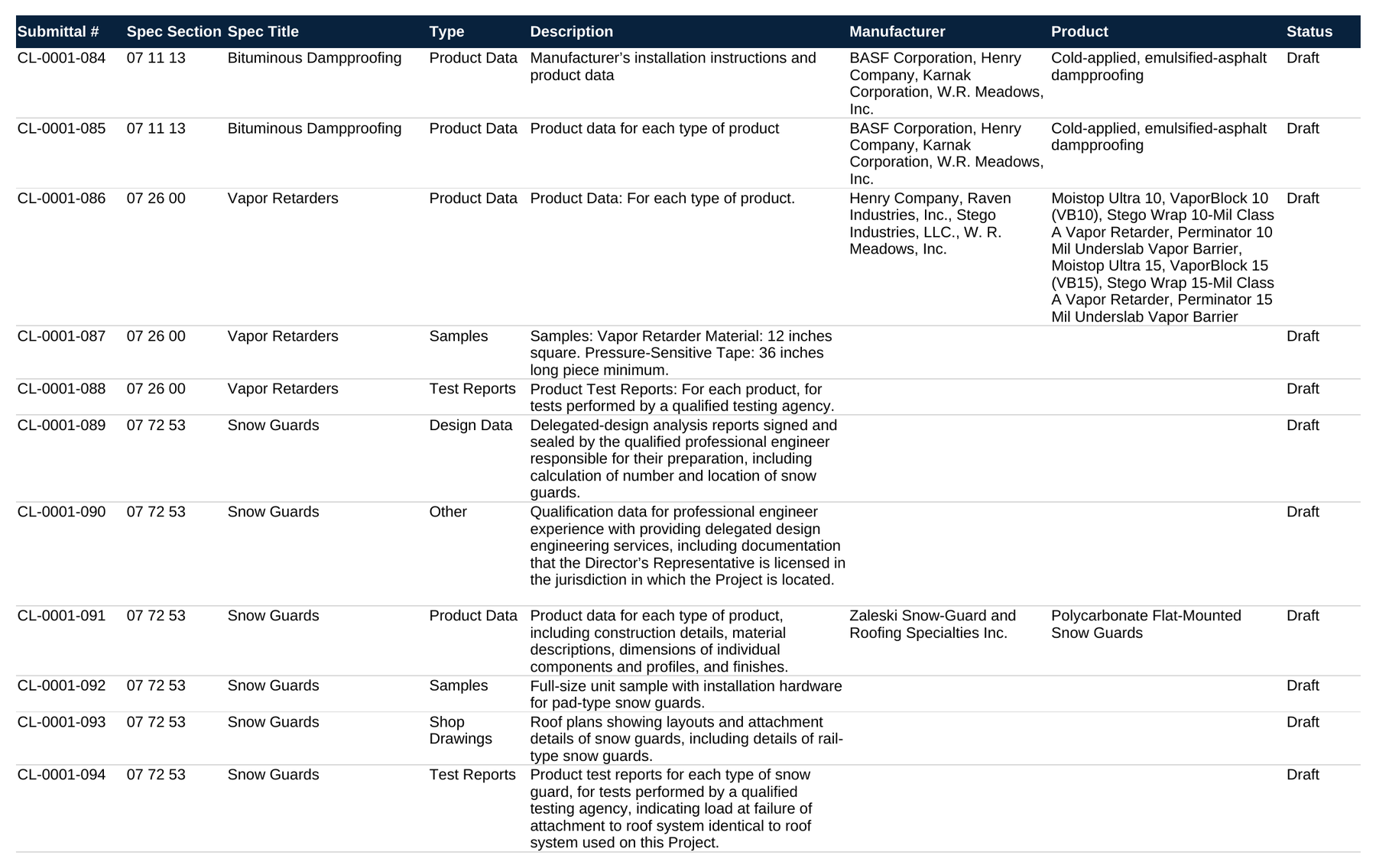
The project name is at the top and every row is numbered under your project number, so you don't have to go back and rename anything.
When Section 08 71 00 calls out Hager hinges and Von Duprin exit devices, the row says so.
The responsible party, due date, submitted date, approved date and revision columns are there from the start. It's a plain spreadsheet, so your team can edit it however they want.
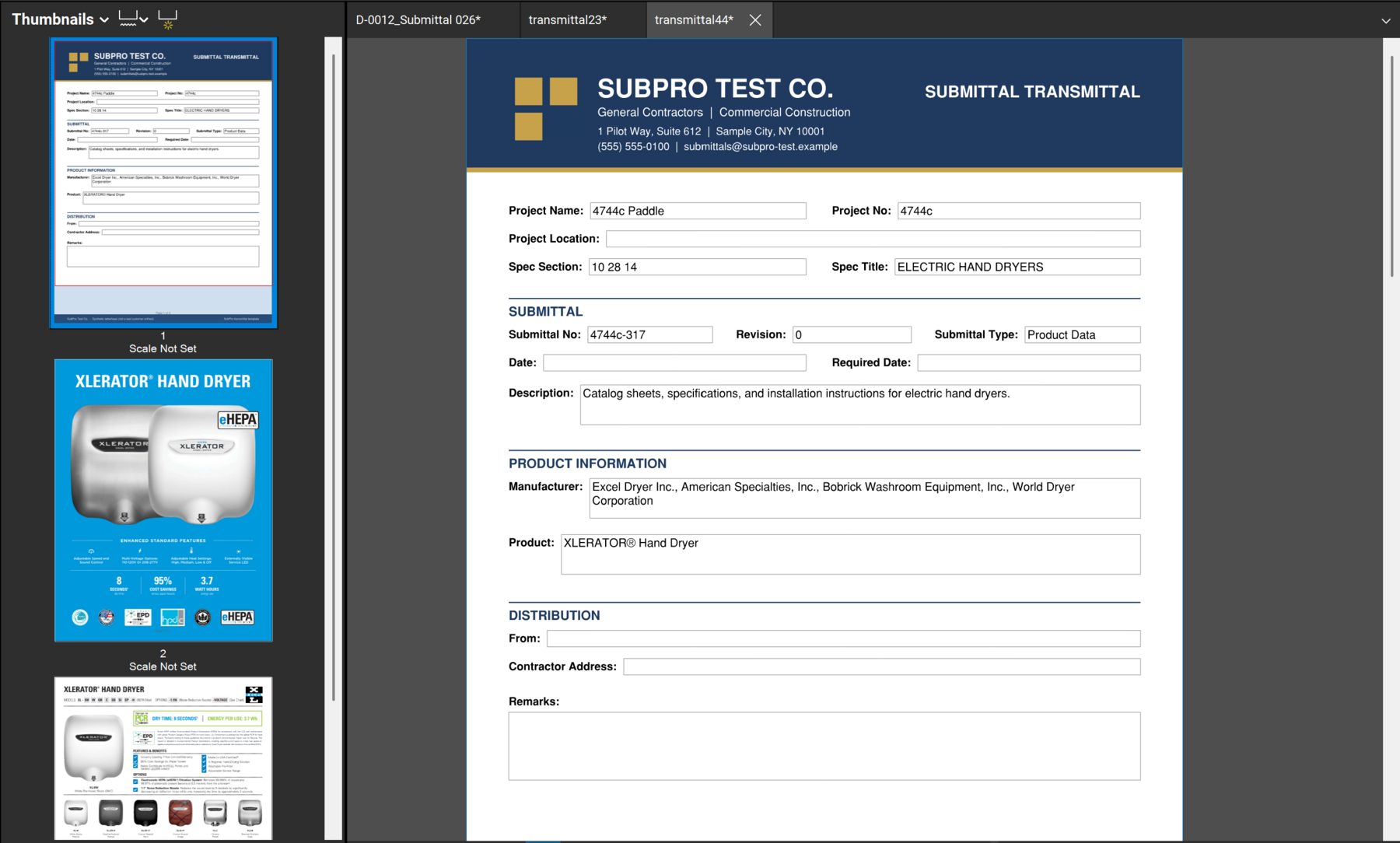
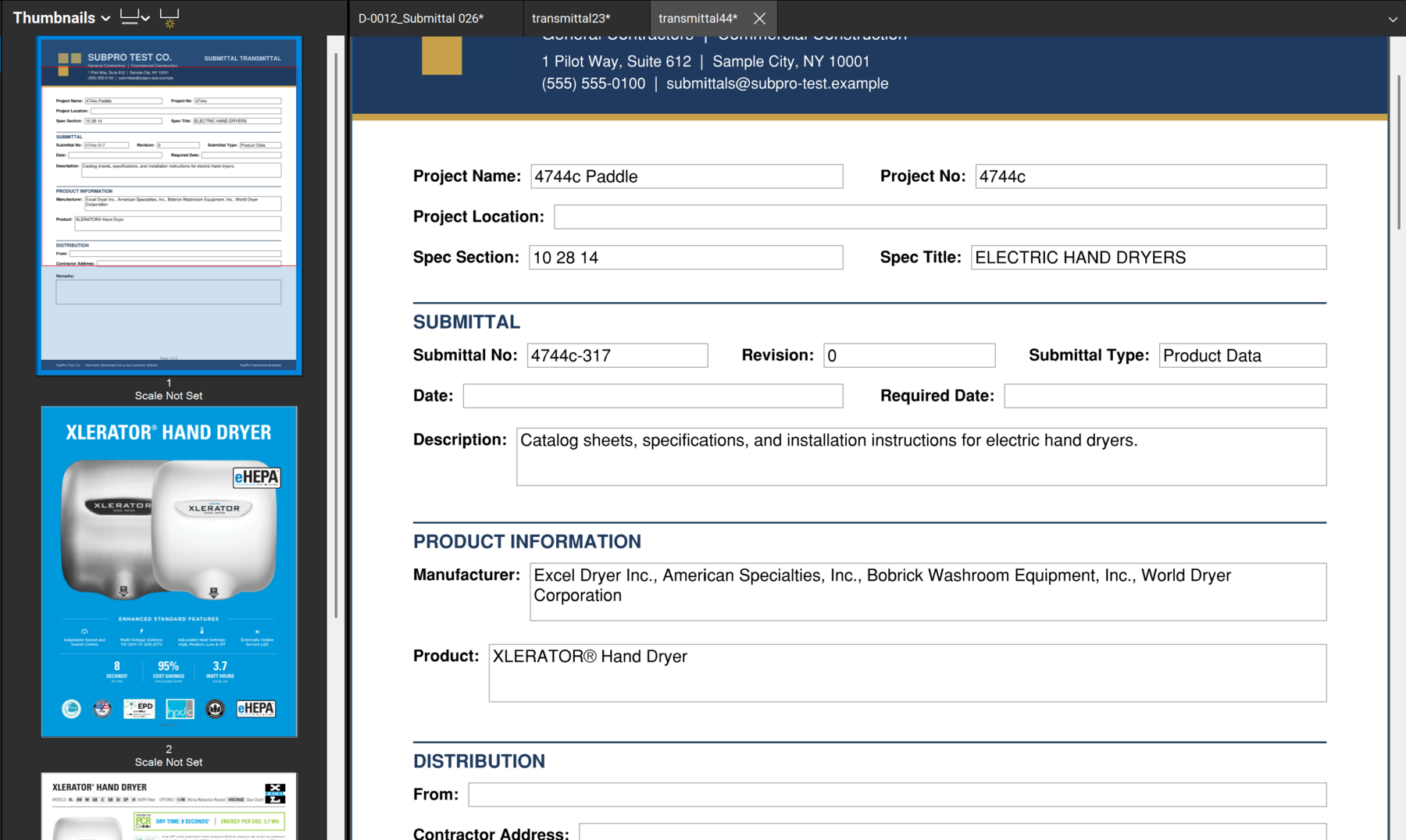
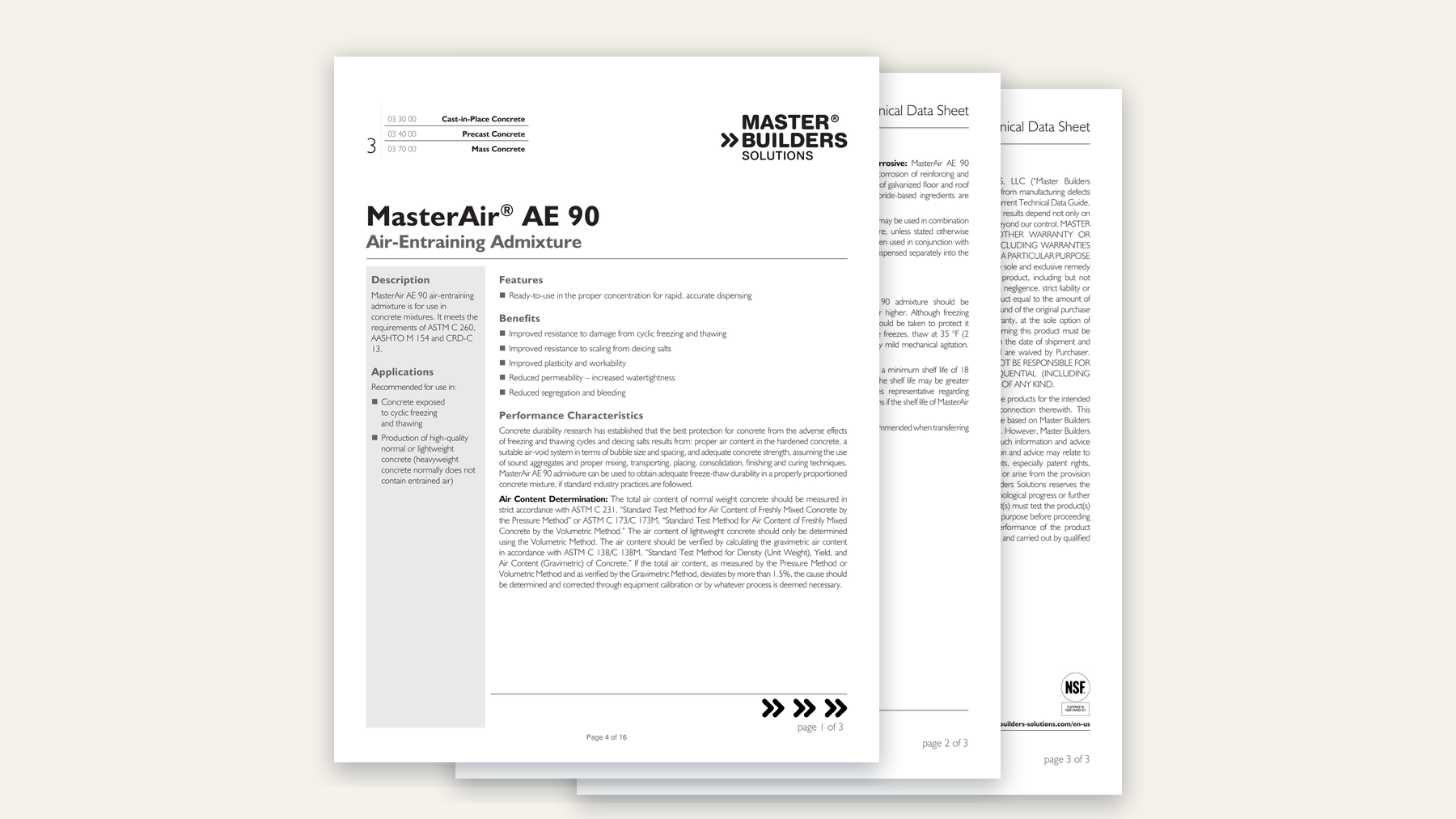
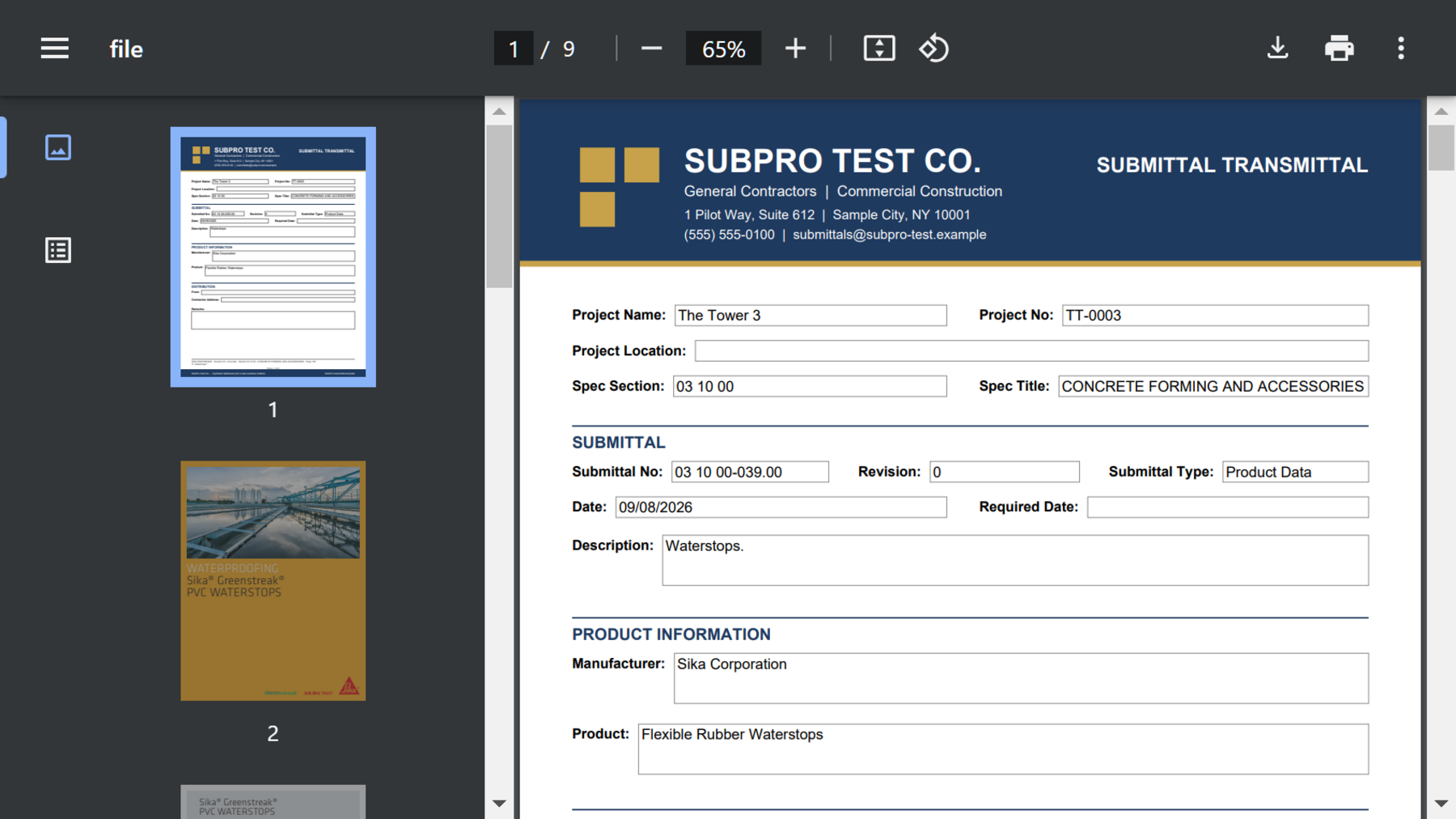
Three looks at sample submittal packages: the transmittal, the product pages behind it and the whole PDF.
The rows the build was least sure about, and why each one needs you to look at it.

Things like a silicone joint sealant the book describes loosely, or a door hardware schedule sitting in an unusual section. Each one is listed with its spec section and the reason it got flagged. On a pilot, a construction PM works these rows before they come back to you.
What each file is for.
This is the working list. There's one row for each requirement with its spec section, type, description, the manufacturer and product where the book names them, status, and the page that called for it when SubPro could tie the row to one. It's the file your PM goes through first.
The same rows laid out by timing: what's due, when it has to go out and who owns it. Long lead items show up here before they hold up the job.
One PDF for each submittal, named and numbered to match its log row, with the transmittal first and the product data behind it. If there's no product data yet for a row, the row stays in the log with a flag, and you don't get an empty PDF for it.
It's the first page of every submittal package, filled in from the log with the project, spec section and title, submittal number, revision, type, description, manufacturer, product and distribution. The remarks are left blank for your reviewer.
Every row that needs a decision before it goes out, with the reason why. Substitutions, unusual sections and requirements the book is vague about all end up here. Once your PM works through this sheet, the set is ready.
The pages that explain how these files get built.
The log these files are built from, and how you keep editing it.
Status and revisions tracked on every item until closeout is signed off.
The review steps each file goes through before it gets to you.
On a pilot you get the PDF submittal packages, and in Excel you get the submittal schedule and the submittal log, with each row carrying its flags and its source page where SubPro could tie it to one. Before a pilot starts, you get the list of deliverables in writing, right down to the file names.
The log is the working list, with one row for each requirement and its spec page and status. The schedule takes those same rows and lays them out by timing, so you can see when each one has to go out.
Your team still checks the requirements, product fit, substitutions, conformance with the contract documents, schedule decisions and every flagged row. SubPro gets the files ready and your team confirms them before anything goes out.
It uses the project manuals you send, the product data available for your scope and whatever you tell us on the fit call about how you want it reviewed.
Bring one of your project manuals to a fit call and see what the files look like when they're built from it.