SubPro Book a fit call

How SubPro turns a spec book into submittals.

The method is the same on every job: the project manual goes in, a cited log and drafted submittal packages come out, and a person reviews before delivery.

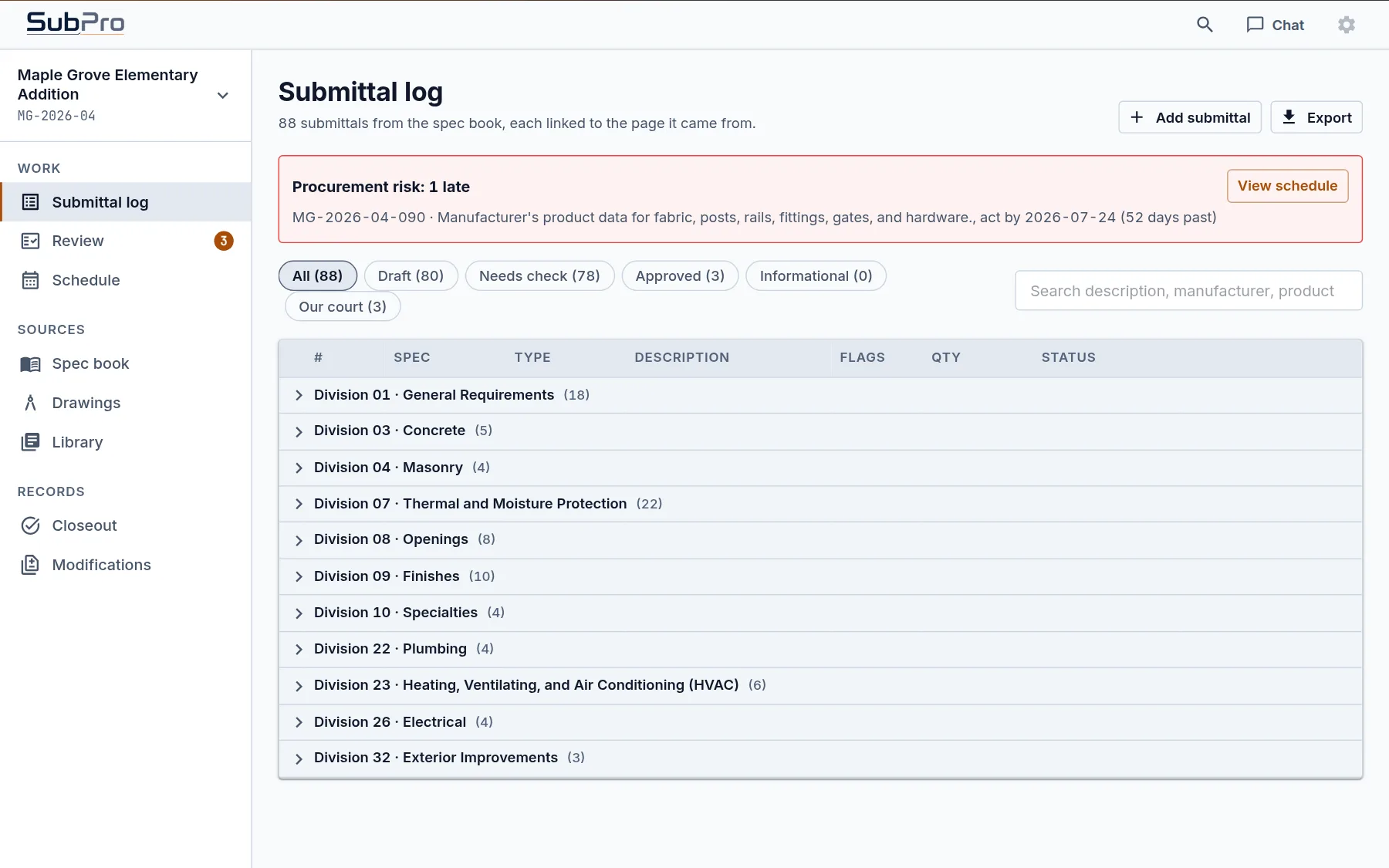
Submittal log, drafted16 divisions, 490 rows
A drafted submittal log grouped by CSI division, Division 02 expanded to show two rows with spec section, type, description, and Draft status

Four steps, the same on every job.

Each step keeps the spec page attached to what it produces, so your team checks the work instead of taking it on faith.

Step 1. Reads

Reads every section, for this job only

Send the project manual as a PDF. SubPro reads it front to back, keeps the page number on everything it finds, and works from nothing but your document.

  • Full project manual, any length
  • Page numbers kept on every find
  • Working copies deleted after delivery
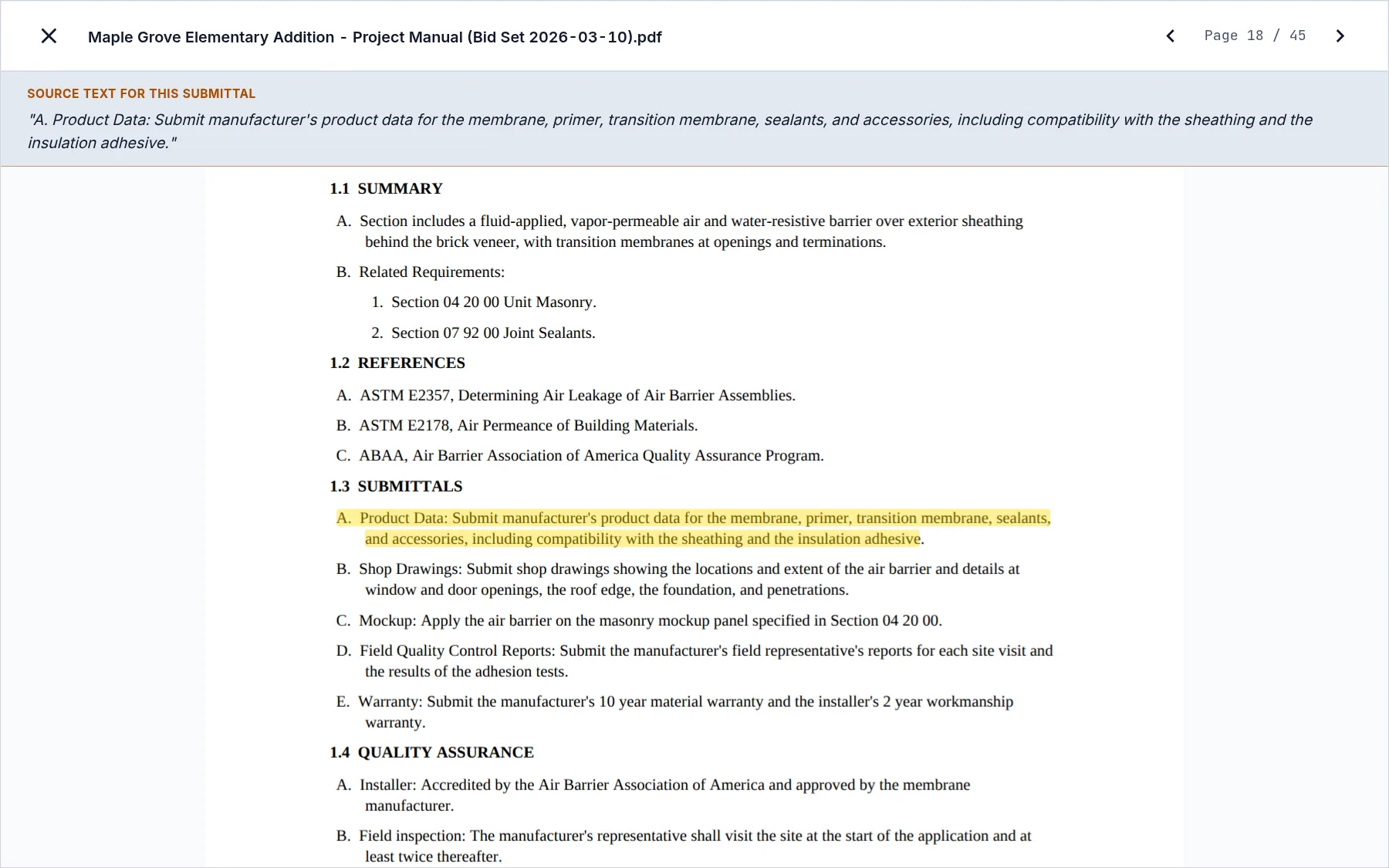
Source text for this submittalSection 03 30 01, page 138
The spec book open at Section 033001 Cast-in-Place Concrete, the submittal paragraph highlighted on the page and quoted above it
Step 2. Finds

Finds every submittal your scope owes

Each requirement becomes a numbered row: spec section, type, description, and the page it came from. Manufacturers and products fill in where the book names them.

  • One row per requirement
  • Numbered under your project number
  • Grouped by division
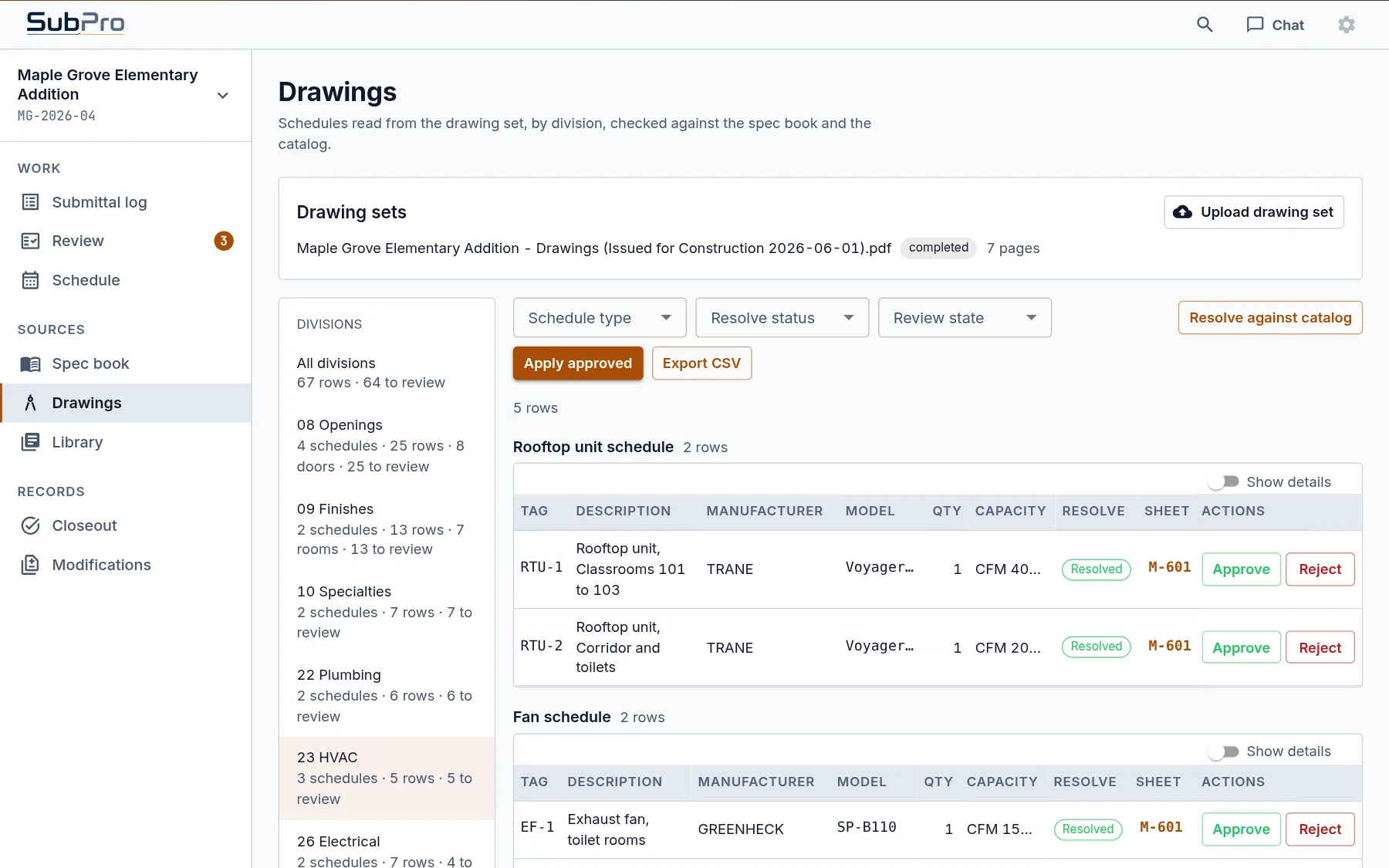
Delta Hangar T41, D-001282 rows drafted
The drafted submittal log for project D-0012: numbered rows with spec section, type, description, product, and Draft status
Step 3. Drafts

Drafts one submittal package per row

Product data from the manufacturer library is matched to the row, then stacked behind a filled-in cover sheet and transmittal as a single PDF.

  • Cover sheet filled from the log
  • Product data matched to the row
  • One PDF per submittal
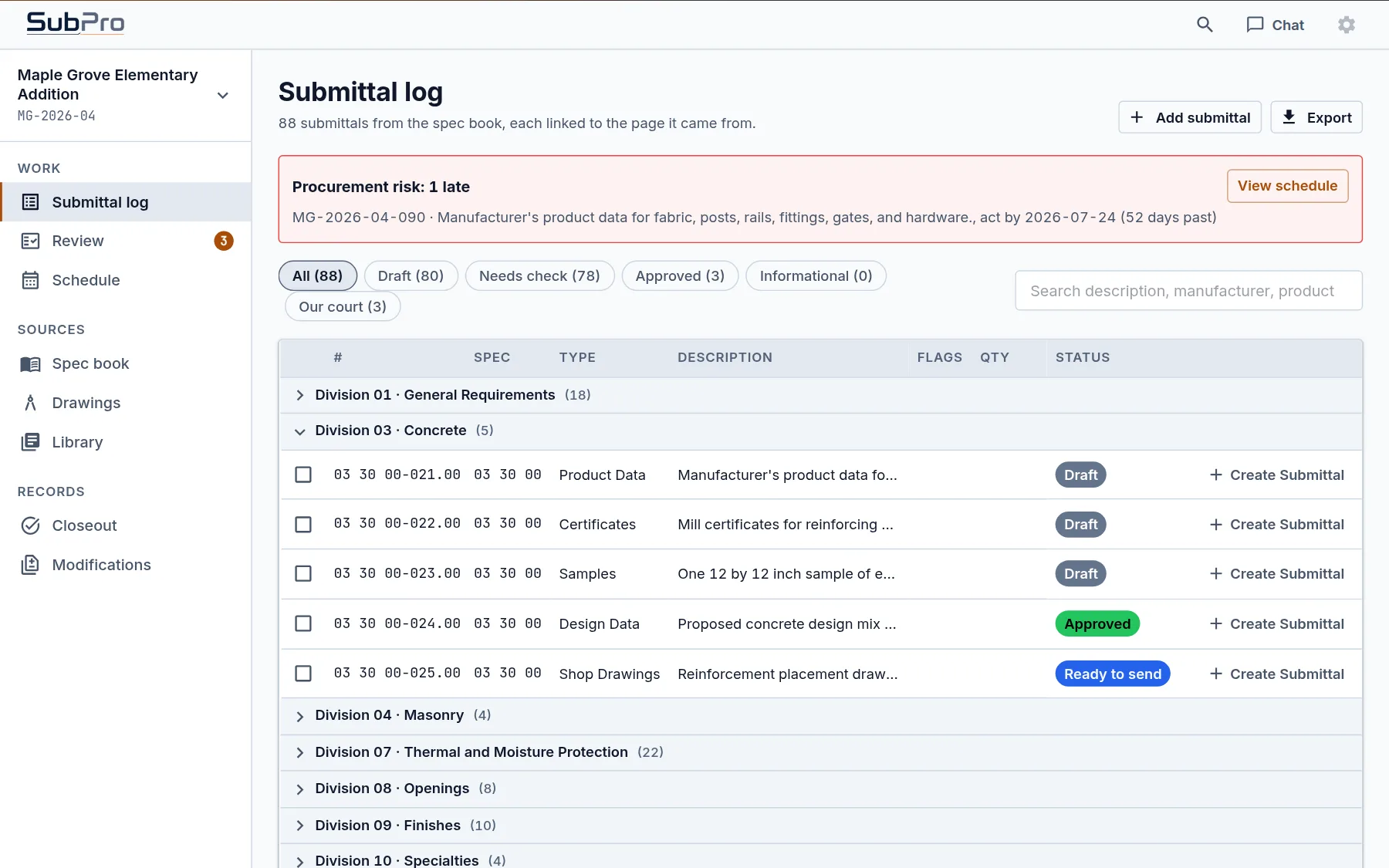
Product data matchedSection 03 30 01 Cast-in-Place Concrete
Log rows for Section 03 30 01 with the manufacturers and products matched to each product data requirement
Step 4. Flags

Flags the rows that need your call

An or equal, an owner selection, an unclear note: each one is flagged with the page behind it and waits for your PM. The rest is ready to review.

  • Flag reason on every row
  • Source page one click away
  • Your PM decides, SubPro does not
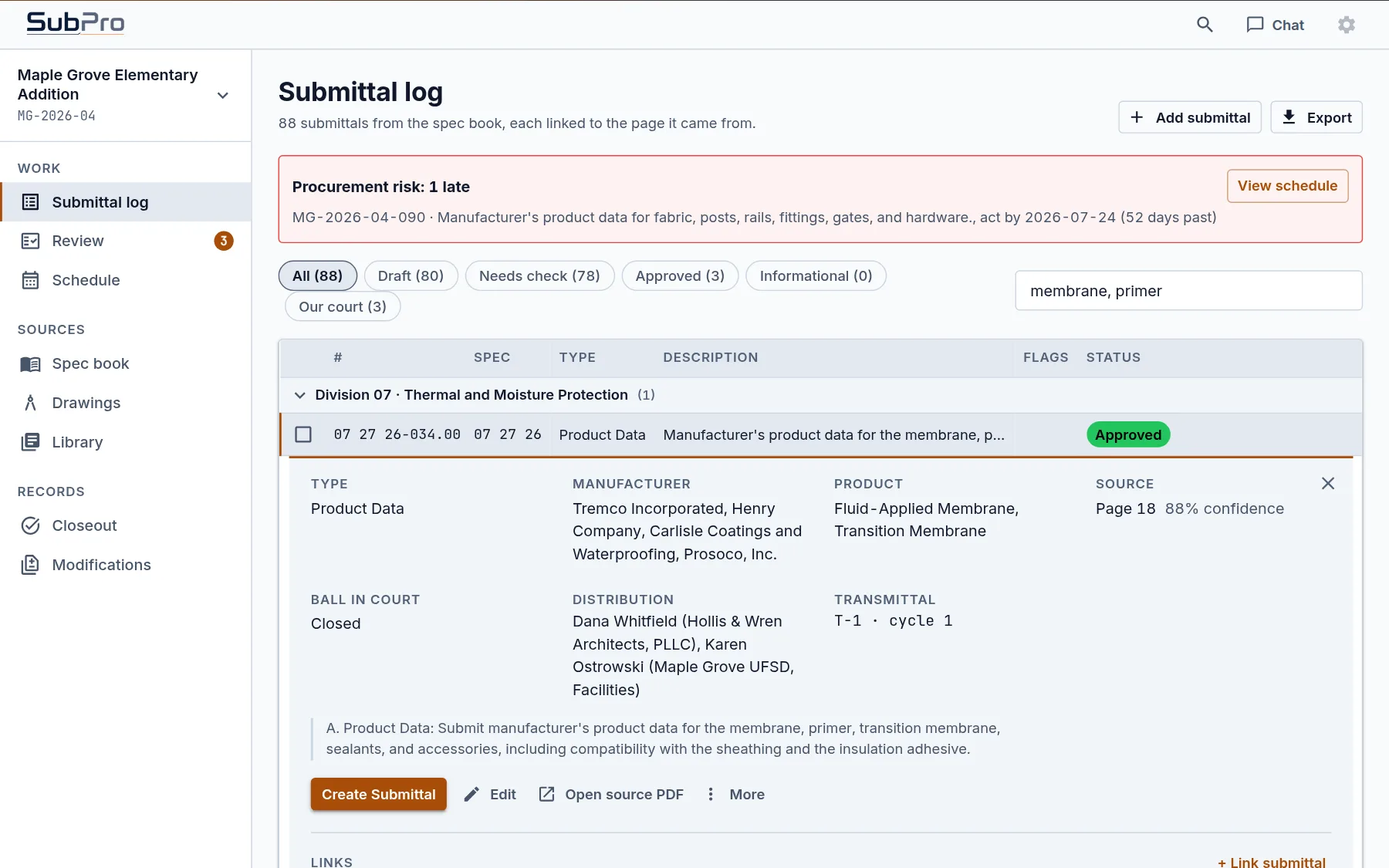
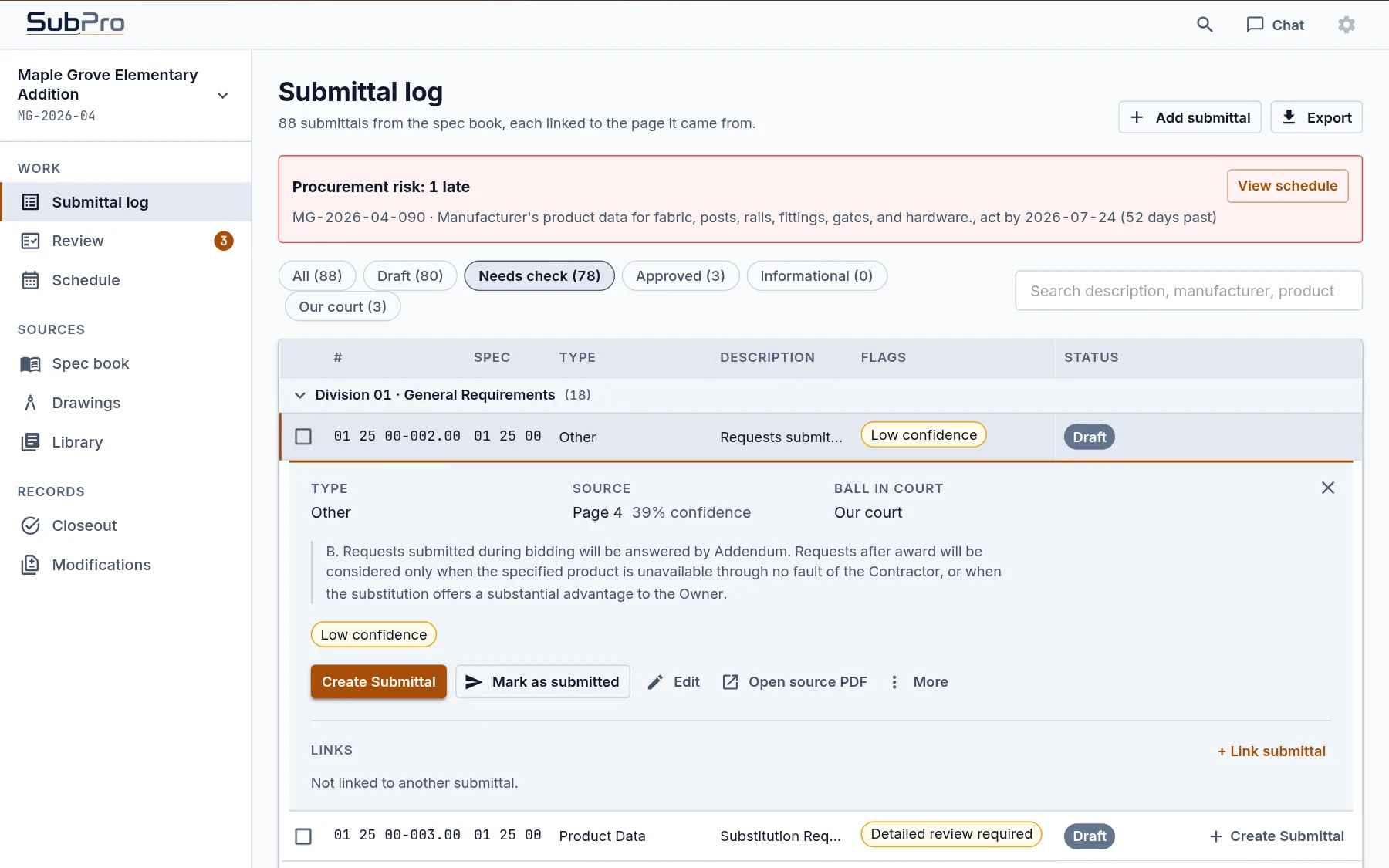
Row D-0012-024 open for reviewSource: page 138
A log row opened for review, showing its type, manufacturer, product, source page, and the quoted requirement from the spec book

Built to be checked.

Two rules hold on every project, and both exist for the reviewer.

Every row cites its page.

Open a row and the spec page opens beside it with the requirement highlighted. A PE checks the row against the paragraph the way you would check a sub's work, and signs off on something they have seen.

Your files are deleted after delivery.

The project manual is a working input, not a filing. Once the log, the submittal packages, and the review are delivered, the working copies are deleted. Nothing you send is kept or used to train a model. The data-handling page has the full policy.

Ask the spec book a question.

Search with the citation attached.

Finding one requirement in a project manual is its own job. Where is the warranty term for the roofing? Which sections call for field mockups? What does Division 01 say about resubmittals? The usual method is keyword search across a dozen PDFs until someone calls the architect.

Because SubPro has already read the whole set, you ask instead. The built-in chat answers from your spec book and your log, and every answer carries the page it stands on. Ask where the extended warranty on door hardware is buried and you get the answer and the Section 08 71 00 page that holds it. Ask which rows are still flagged and the log answers directly.

The chat answers only from your documents. The citation sits beside the answer, so anyone can confirm it at the source. The questions that come up on every job are worked through on the answers page.

The record keeps building through closeout.

Delivery is not the end of a submittal's life. Reviews come back, revisions stack up, transmittals go out. SubPro keeps that history on each row while the job runs: what went out, what came back, and which revision superseded which.

By turnover the record already exists: what was submitted, what the architect returned, and when each item moved. Closeout becomes a check instead of a rebuild. The full lifecycle is on the construction submittal software page.

Questions about the method

Does SubPro keep my spec book after the job?

No. The project manual is a working input. Once the deliverables are out, the working copies are deleted behind them. Storage stays your system's job.

How can a reviewer trust a drafted row?

Every row carries the spec page it came from. The reviewer opens that page, reads the paragraph, and confirms the requirement instead of taking the row on faith. Rows that need a decision are flagged with the reason.

What files come out at the end?

An editable submittal log in Excel, the submittal packages as PDFs where product data exists, and a flags sheet. The output page shows each file.

What is the fastest way to see it on my own project?

Send one spec book through Build my log. A drafted log comes back for review with no call required, and any pilot conversation starts from real output.

Is a person still reviewing?

Yes. SubPro drafts and organizes. Your team confirms the requirements, rules on substitutions, and owns what goes to the GC. SubPro does not promise a perfect extraction, which is why every row cites its page.

Send us one spec book.

Run the four steps on your own project manual. The drafted log and a finished submittal package are on the table before any commitment.