What is submittal package software?
It takes a row in the log and turns it into a file the GC can open. The product data the spec section calls for goes behind a cover sheet, one PDF per submittal.
 Book a fit call
A row in the log tells you a submittal is due, and then somebody still has to put the submittal package together. SubPro puts the product data behind a cover sheet and makes one submittal package for each row.
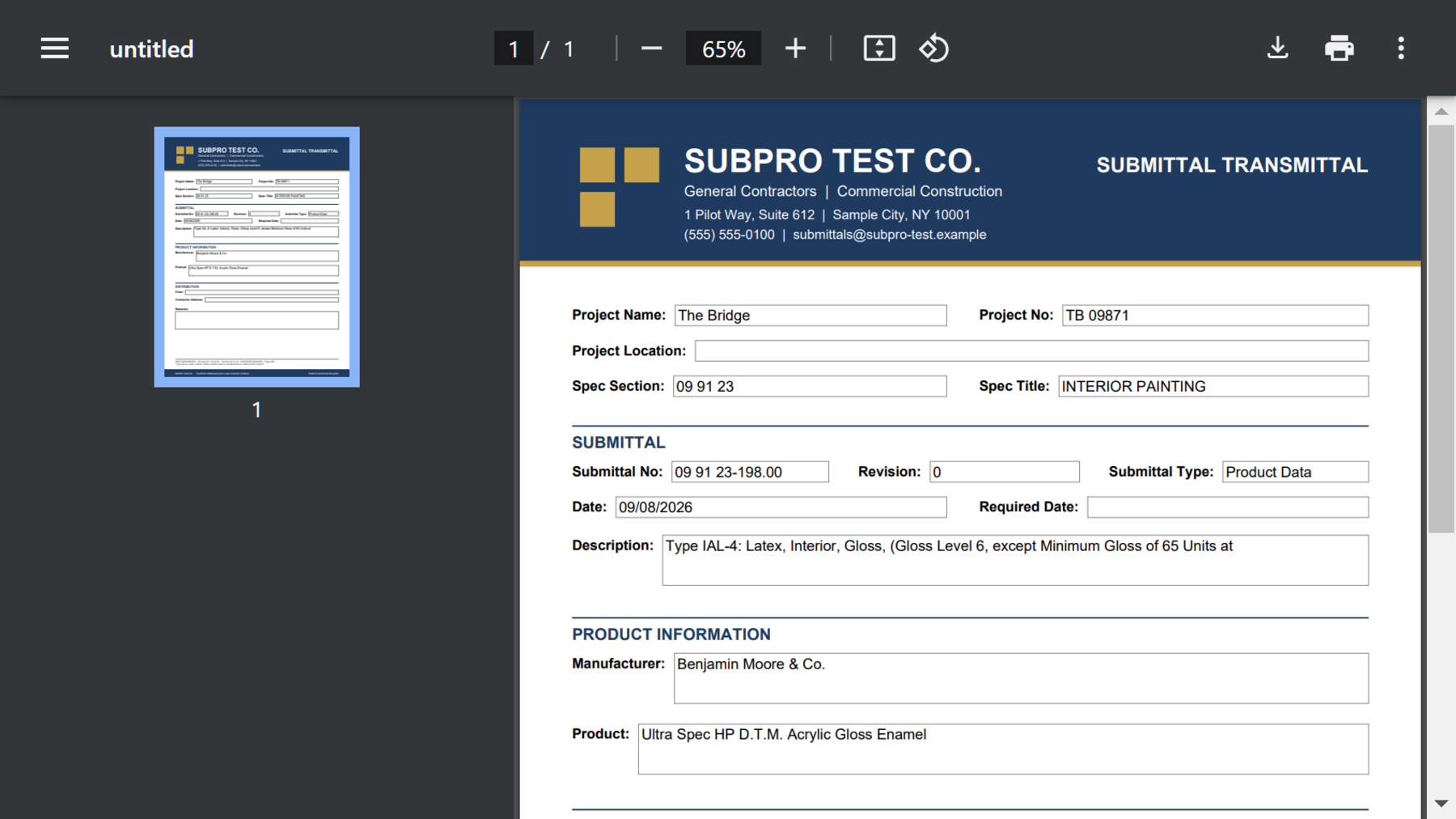


If you've built submittals by hand you know how it goes. You find the product page on the manufacturer's site, download the SDS, chase the warranty letter, format a cover, merge the PDFs and fix the page order. Then you do the next item and the one after that, and it's usually the most careful person in the office doing it.
SubPro does that part. For each log row it pulls the matching manufacturer documents from its catalog of product literature, puts them behind a cover sheet that already has the project, section and item on it, and makes one PDF. Your team still confirms the product and decides on any substitution.
When the catalog doesn't have a match for a row, the row says so, and somebody adds the document to finish the submittal package. It depends on the product and the project, and SubPro puts in what it can find and flags what it can't.
You need log rows before you can put submittal packages together. SubPro drafts them from your project manual, with the page on each row it can tie to one.
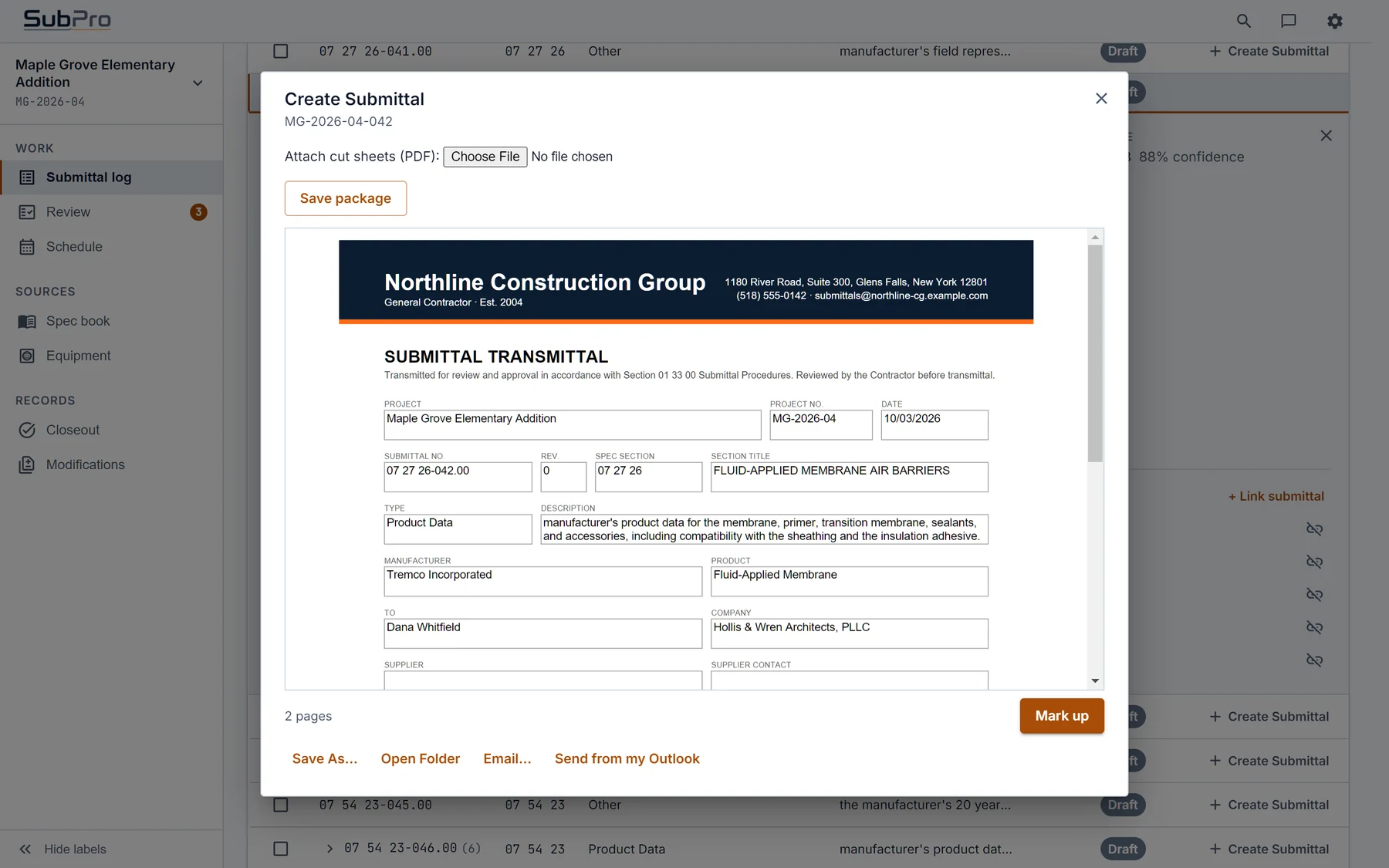
It takes a row in the log and turns it into a file the GC can open. The product data the spec section calls for goes behind a cover sheet, one PDF per submittal.
Take Section 09 91 23 Interior Painting. It calls for product data on every coating, so the submittal package has the manufacturer's data sheet for the specified paint, its safety data sheet and the sheen and color documentation. The cover sheet names the project, the section and the item.
SubPro puts the product pages in order behind a cover sheet tied to the log row. Your reviewer sees the requirement and the product data together and looks through the PDF before it goes to the GC.
No. What goes in a submittal package depends on the product and the project documents. SubPro uses what the catalog has, and if a document is missing or unclear it shows you in review. It won't hide the gap inside a PDF that looks complete.
Every file you get from a run, PDF and XLSX, and how each one is named.
How the transmittal gets written from the submittal package it goes on top of.
How the submittal package ties back to the log and the closeout record.
Book a fit call and send us one of your project manuals. You'll get to open a finished submittal package from your own job before you commit to a pilot.