A requirement you can trace
Each row carries the paragraph that called for it, highlighted on the spec page, or the drawing sheet and schedule line it was read from. Your reviewer checks the source in one click.
 Book a fit call
Most jobs still run submittals on spreadsheets, PDFs, email chains and a log somebody keeps by hand. SubPro puts each submittal on one record instead. It reads the requirements in the spec book and on the drawings, assembles each submittal with its source attached, and keeps everything that happens to it on the same row until closeout.
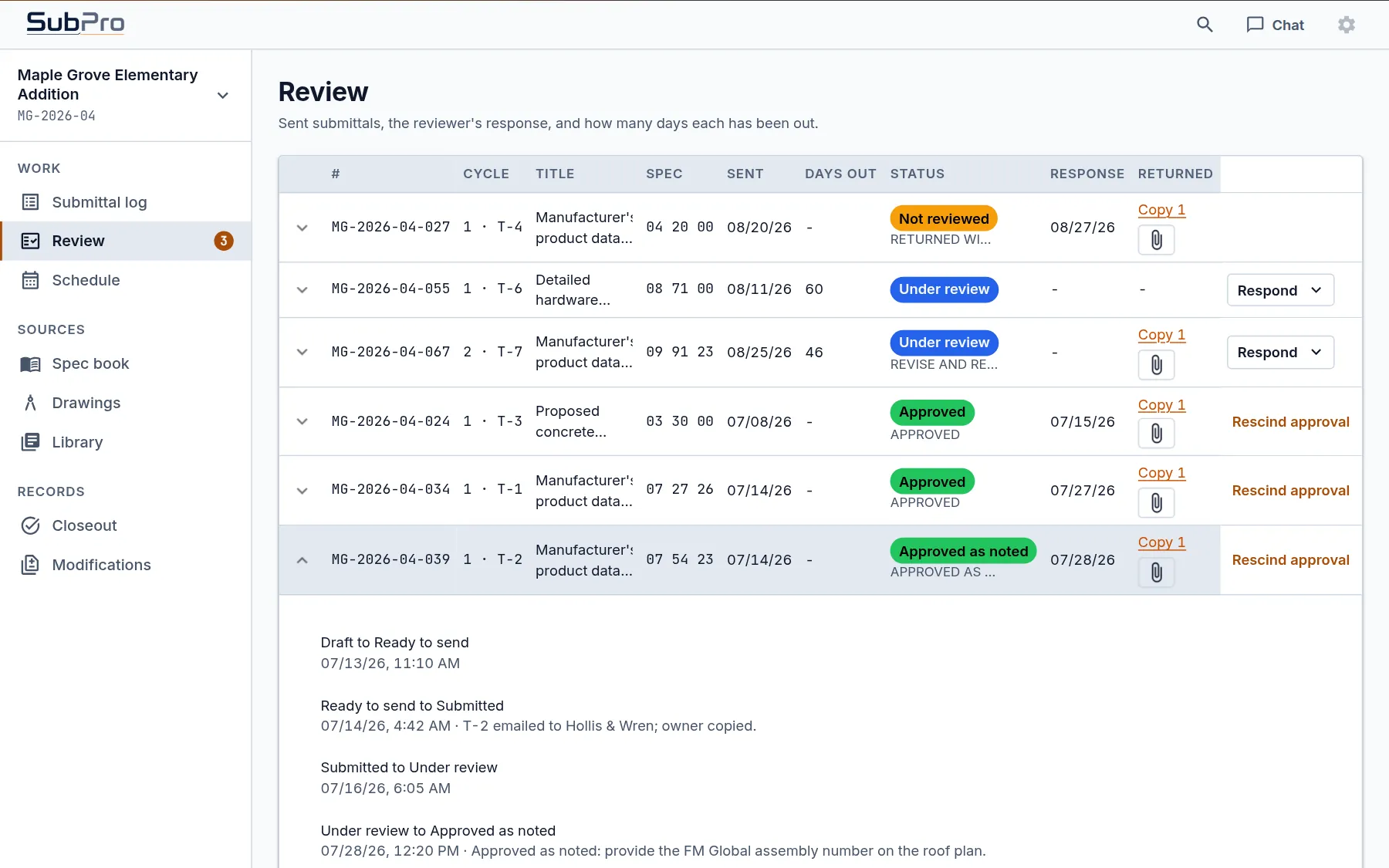
Most submittal trouble isn't a people problem. The requirement is on page 214 of the spec book, the equipment schedule is on a drawing sheet, the product data is in a folder and the architect's comments are in somebody's inbox. Every time a person carries information from one of those places to another, something can slip: an old revision of a cut sheet, a quantity short of the schedule, a closeout item nobody logged.
That's how one submittal ends up going back twice. SubPro is built so the information doesn't have to be carried. It stays on the record, next to the source it came from.

Each row carries the paragraph that called for it, highlighted on the spec page, or the drawing sheet and schedule line it was read from. Your reviewer checks the source in one click.
SubPro reads every section of the spec book and the equipment schedules on the drawings, drafts the log and matches product data, your company's documents first. It flags what it isn't sure about instead of guessing.
The row holds the requirement, the package, every transmittal, the reviewer's response, each revision and the closeout items. Nobody rebuilds the history at the end of the job, because it was never kept anywhere else.
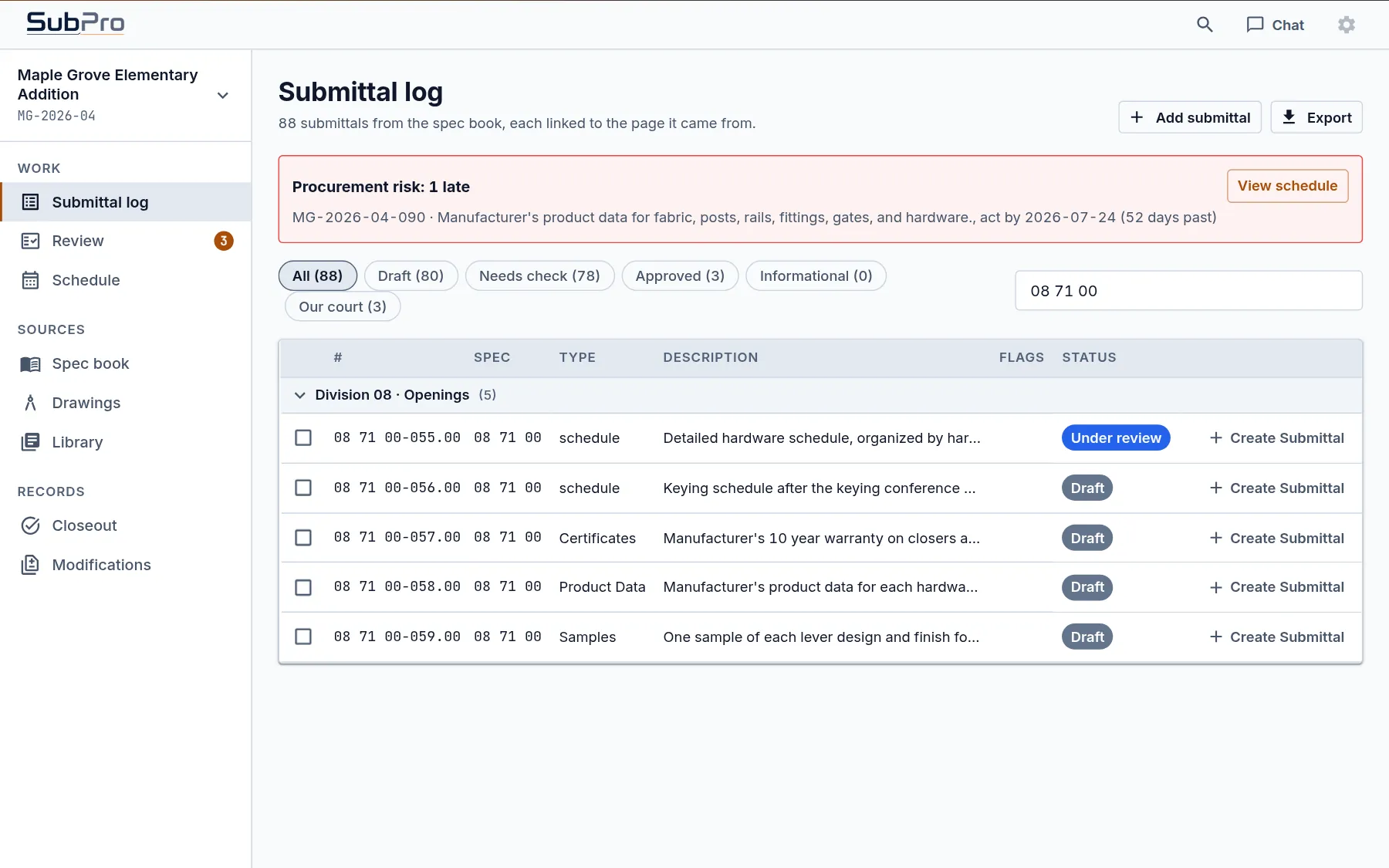
Door hardware is where a wrong set shows up at the frame. In the sample project, Section 08 71 00 drafts five rows. Here's what SubPro does with each one and who makes the call.
| Row | Read from | What SubPro adds | Who decides |
|---|---|---|---|
| Hardware schedule | The schedule requirement, cited by page | Nothing to match, since the hardware supplier writes it | Your team attaches it and sends it. In the sample it's with the architect, 60 days out. |
| Keying schedule | The keying paragraph, due after the keying conference | Left unmatched on purpose | The owner, who decides who gets a master key |
| Closer and exit device warranty | The warranty paragraph, ten years on closers | The manufacturer's warranty document | Your reviewer checks the term against the section |
| Product data for each hardware item | The product data paragraph, cited by page | Data sheets for the hinges, closers and exit devices the section names | Your reviewer confirms each match |
| Lever samples | The samples paragraph, one of each design and finish | Nothing to match, since samples are physical | The architect picks, and the row tracks when they went out |
SubPro does the reading, the matching and the assembly. It doesn't approve a submittal, judge a substitution or decide whether a product conforms. Those calls belong to your PM, your PE and the design team, and the record shows who made each one.
A submittal is your company speaking to the design team under the contract, so nothing leaves SubPro until a person on your team sends it.
| The work | By hand | A general chatbot | SubPro |
|---|---|---|---|
| Reading the requirements | One person turning pages, section by section | Reads what you paste, loses the page numbers | Reads every section and the drawing schedules, and keeps the source on each row |
| Proof behind a row | Whatever the coordinator remembered to note | A paragraph with no page reference | One click from a row to its highlighted page |
| Rows it was unsure about | You find out when a reviewer catches them | Sounds just as sure as everything else | Flagged for a person to decide |
| Product data | Hunted down one manufacturer website at a time | Links that may not work | Matched from your library first, then ours |
| The final call | You | Unclear | Your team |
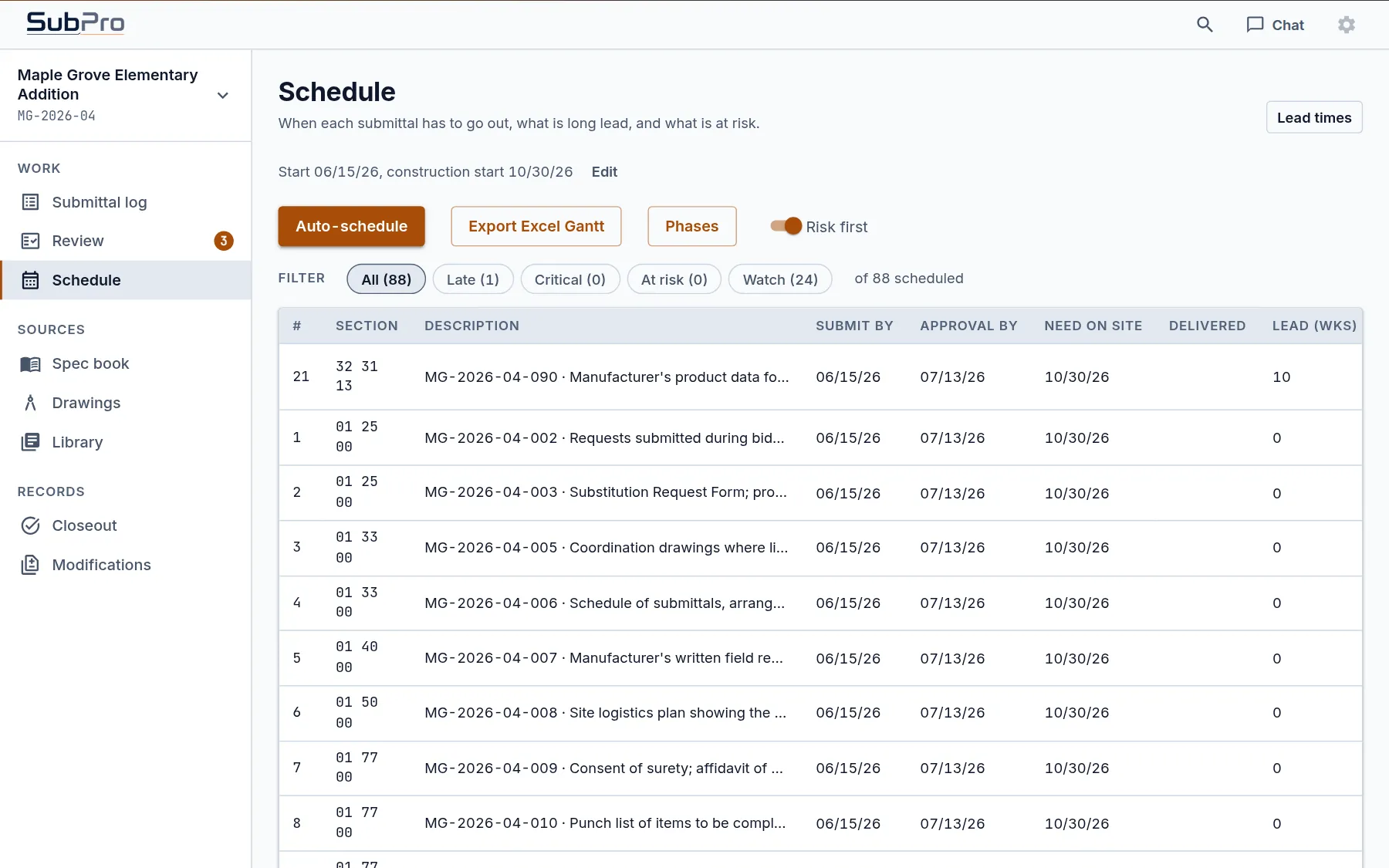
Each row gets a submit by date, an approval by date and a need on site date, worked back from the construction start and the lead time for the item. Turn on Risk first and the late rows rise to the top. In the sample project that's the chain link fence in Section 32 31 13, with ten weeks of lead time and a send date that has already passed, so the log shows it in a procurement risk banner too.
The lead time table is yours to edit, so it matches the suppliers you actually buy from, and the whole schedule exports as an Excel Gantt for the meeting.
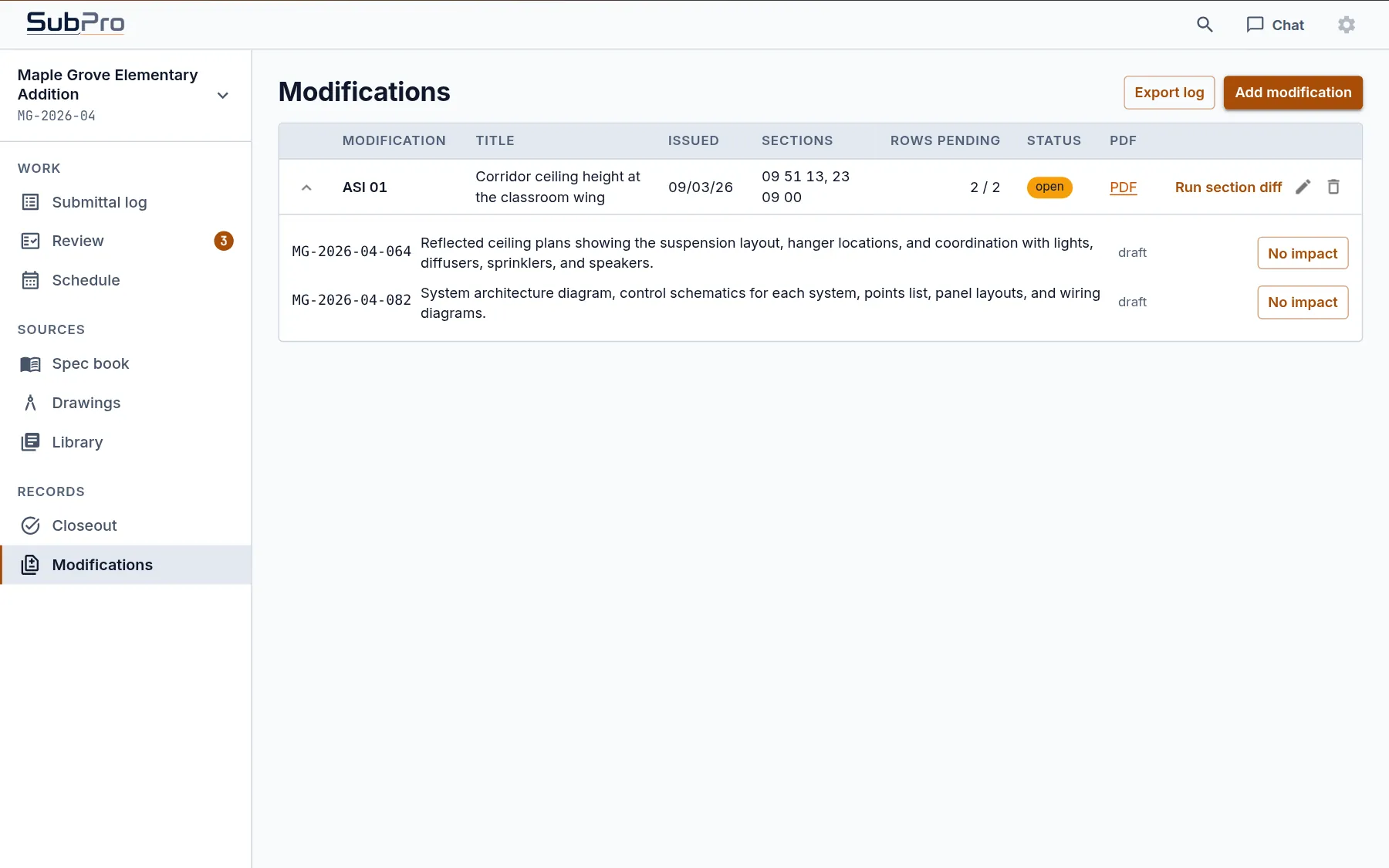
An ASI or an addendum rarely touches the whole book. Add it to the project and SubPro lists the rows in the sections it names, so your team marks each one as changed or no impact instead of reading everything again. Run section diff reads the revised section against the one you started from and shows what moved.
In the sample, ASI 01 changes the corridor ceiling height in the classroom wing. It names Sections 09 51 13 and 23 09 00, and the two rows in them wait for a decision.
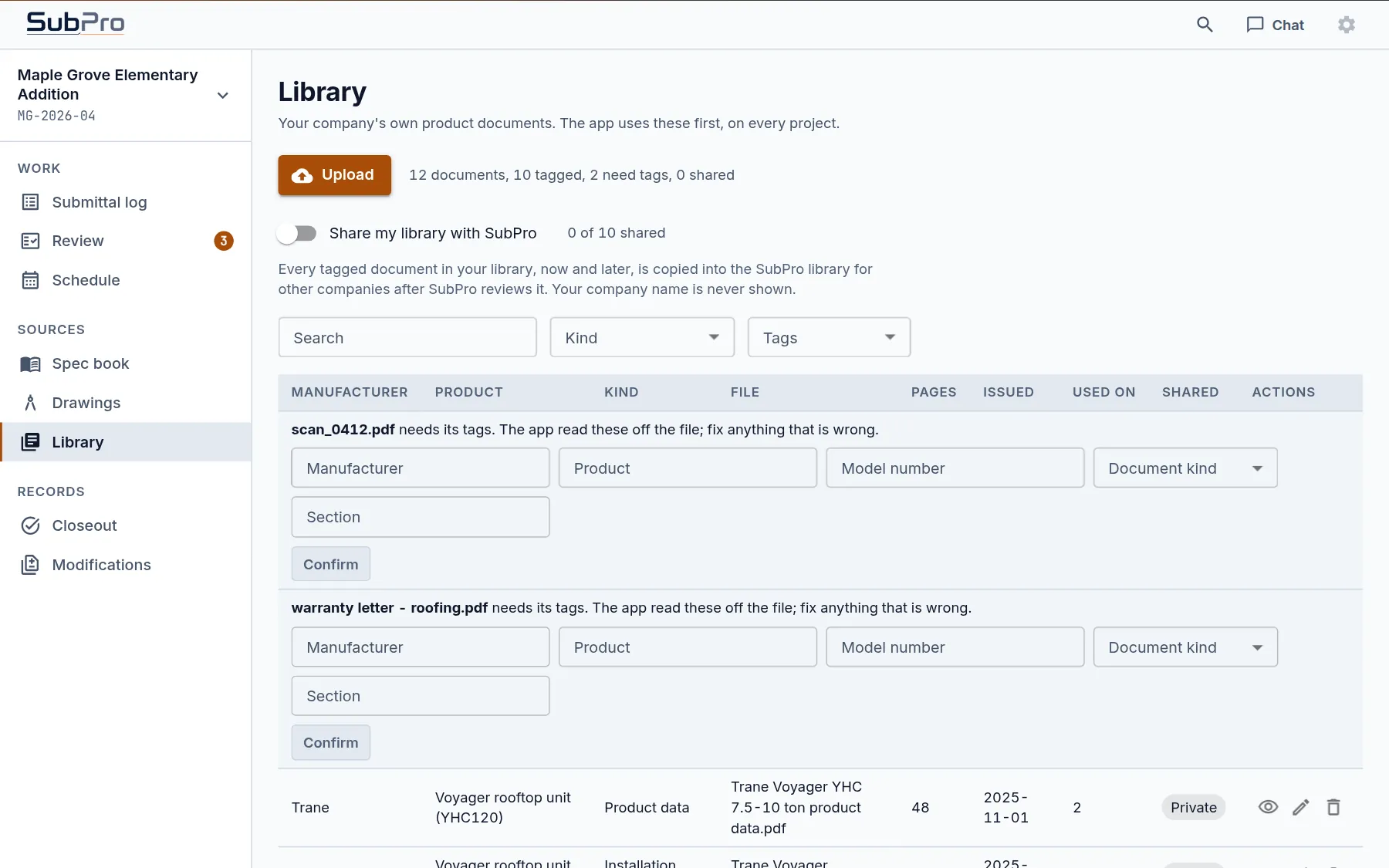
The Library holds your company's own product documents, the data sheets, installation guides and warranty letters you've already used on past jobs. SubPro reads the manufacturer, product and document kind off each file, asks you to confirm the ones it can't read, and uses your documents first on every project.
When yours don't cover a row, SubPro draws on the submittal document library: over 25,000 manufacturer documents across more than 500 indexed manufacturers, each with a record of where it came from. Sharing your library is off unless you turn it on.
Say a cabinet door delaminates eighteen months after substantial completion, and the owner's rep asks whether the installed product matched the approved submittal. The row answers it: the approved revision, the transmittal it went out on and the spec page that called for it.
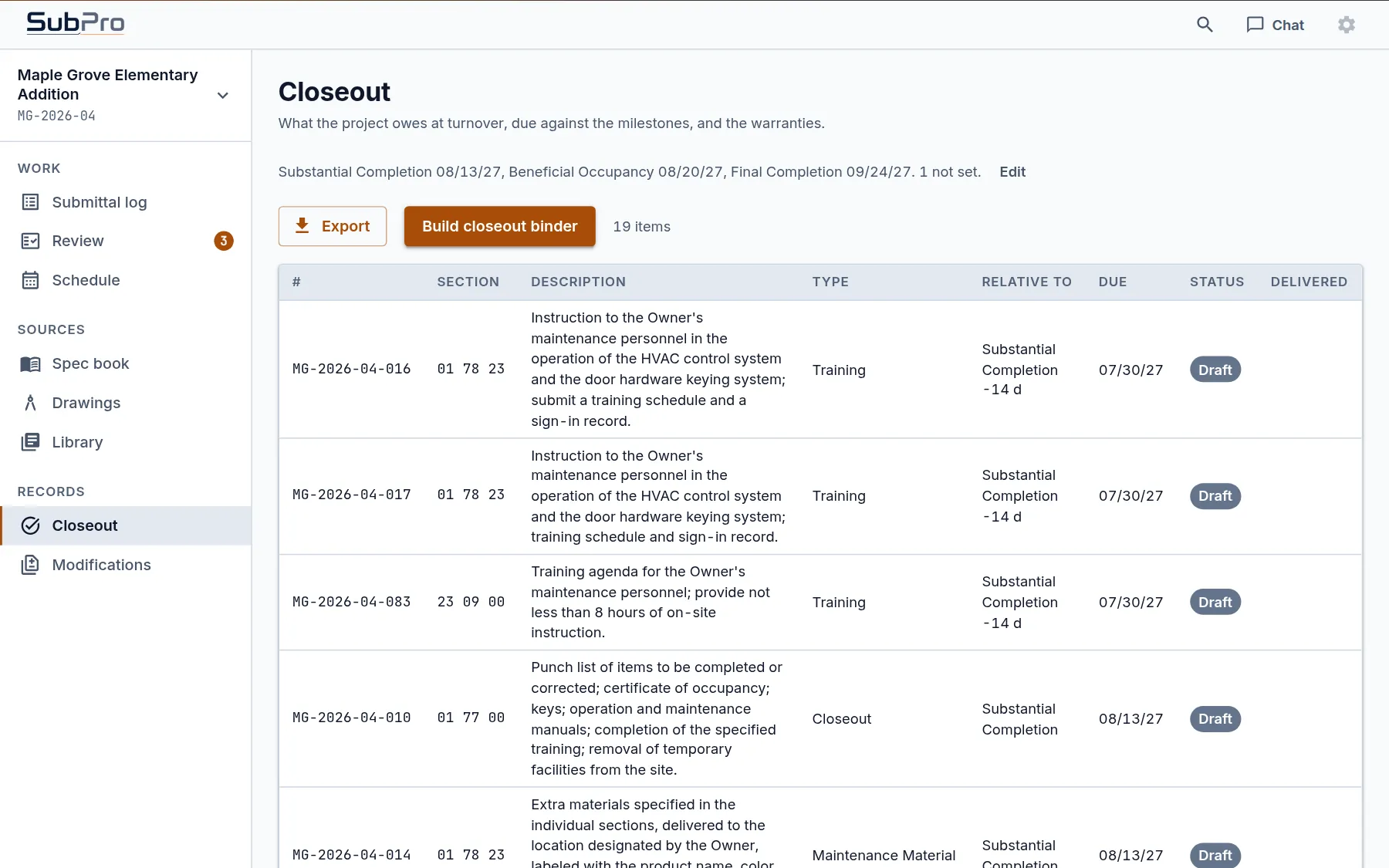
Closeout items are on the record from day one. Training, spare materials, warranties and operation and maintenance manuals each come due against milestones your team sets once, like substantial completion. When the time comes, Build closeout binder puts what was delivered into one binder.
Keep using it. SubPro is where your submittals get built and tracked, and the exports load into whatever platform the job runs on.
Nobody updates this one by hand. A response logged on the row changes its status, and a resubmission stacks on top of the first one with its date.
Every row shows its source, so you check the work instead of trusting it. The data handling page covers what happens to your files.
It's software for the submittals a project calls for. SubPro reads the spec book and the drawings, drafts the log, builds each submittal package and keeps the status, revisions, transmittals and closeout items on one record per submittal.
A tracker records submittals your team already built. SubPro builds them: it finds the requirements, matches the product data and assembles the package, then tracks each one through review and closeout.
No. It drafts the rows and assembles the submittal packages, with the source on each row and flags on the ones that need a person. Your team reviews, stamps and sends, and the architect's response comes back to the row.
No. The spec book you upload is deleted once it has been read, and nothing you send is used to train a model. The data handling page has the details.
Yes. Run the spec book whenever you come onto the job and compare the draft against the log you already have. It's a good way to find the rows that log is missing.
How the log gets drafted from the spec book, and how your team checks it.
How the product data goes behind its cover, one PDF per submittal.
What goes out with each submittal, and the dated record it leaves.
Book a fit call and bring one project manual. We'll walk you through SubPro on your job.